

HowBlurWorks app
See blur algorithms in action • Learn image processing • Visualize convolution
github.com/ahmmedrejowan/HowBlurWorks
About

How Blur Works
Educational Blur Algorithm Visualizer
See blur algorithms in action • Learn image processing • Visualize convolution
About
How Blur Works is an educational Android application that visualizes how image blur algorithms work in real-time. Watch pixel-by-pixel as convolution kernels traverse your images, transforming them through Gaussian, Box, and Motion blur effects. Perfect for developers, students, and anyone curious about image processing fundamentals.
Educational Purpose
This app is designed to help users understand:
- Convolution Operations - How kernels slide across images pixel by pixel
- Blur Algorithms - The mathematical differences between Gaussian, Box, and Motion blur
- Kernel Matrices - How weight distributions affect the final result
- Image Processing - Real-time visualization of pixel color transformations
Features
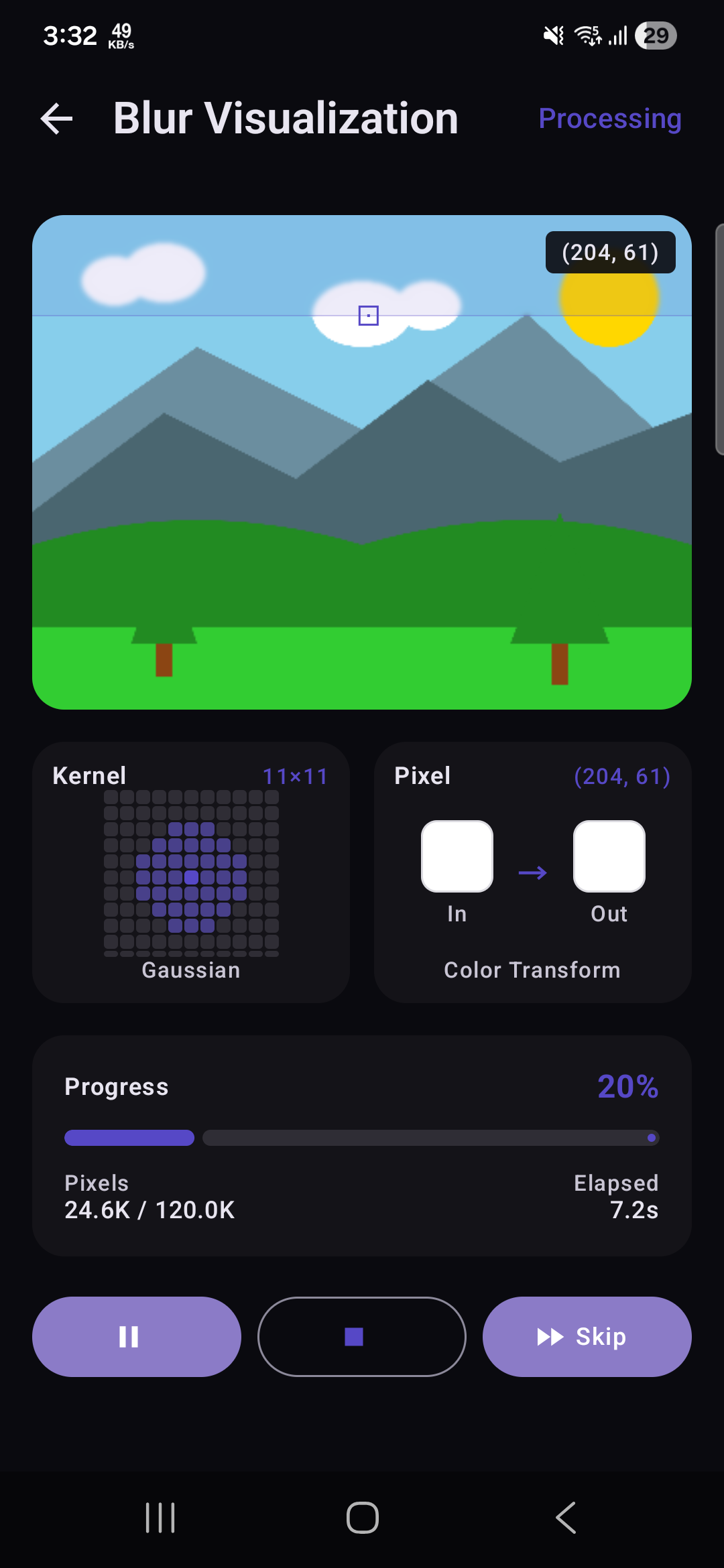
- Real-time Visualization - Watch blur processing happen pixel by pixel
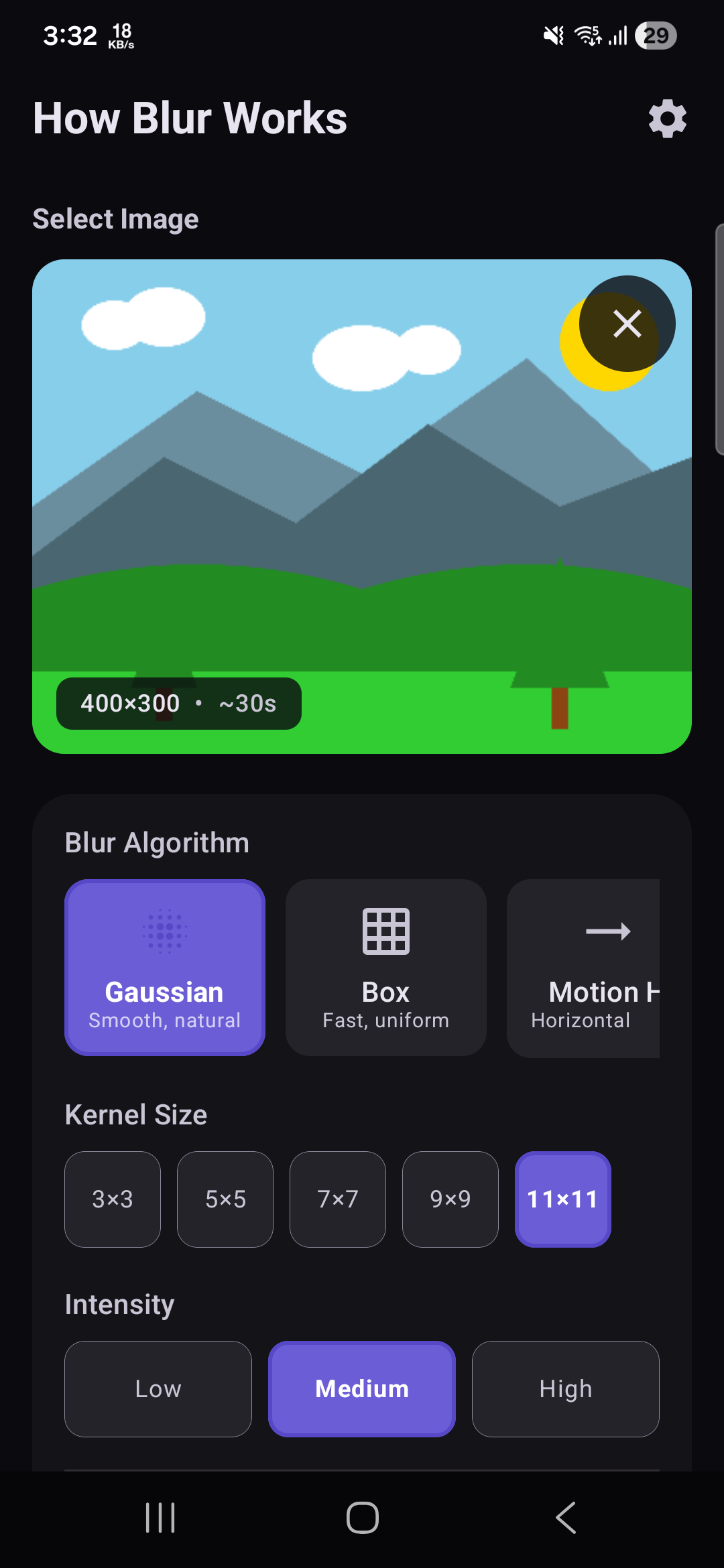
- Multiple Blur Algorithms - Gaussian, Box, Motion Horizontal, and Motion Vertical
- Adjustable Kernel Sizes - From 3×3 to 11×11 kernels
- Intensity Presets - Low, Medium, and High blur intensity options
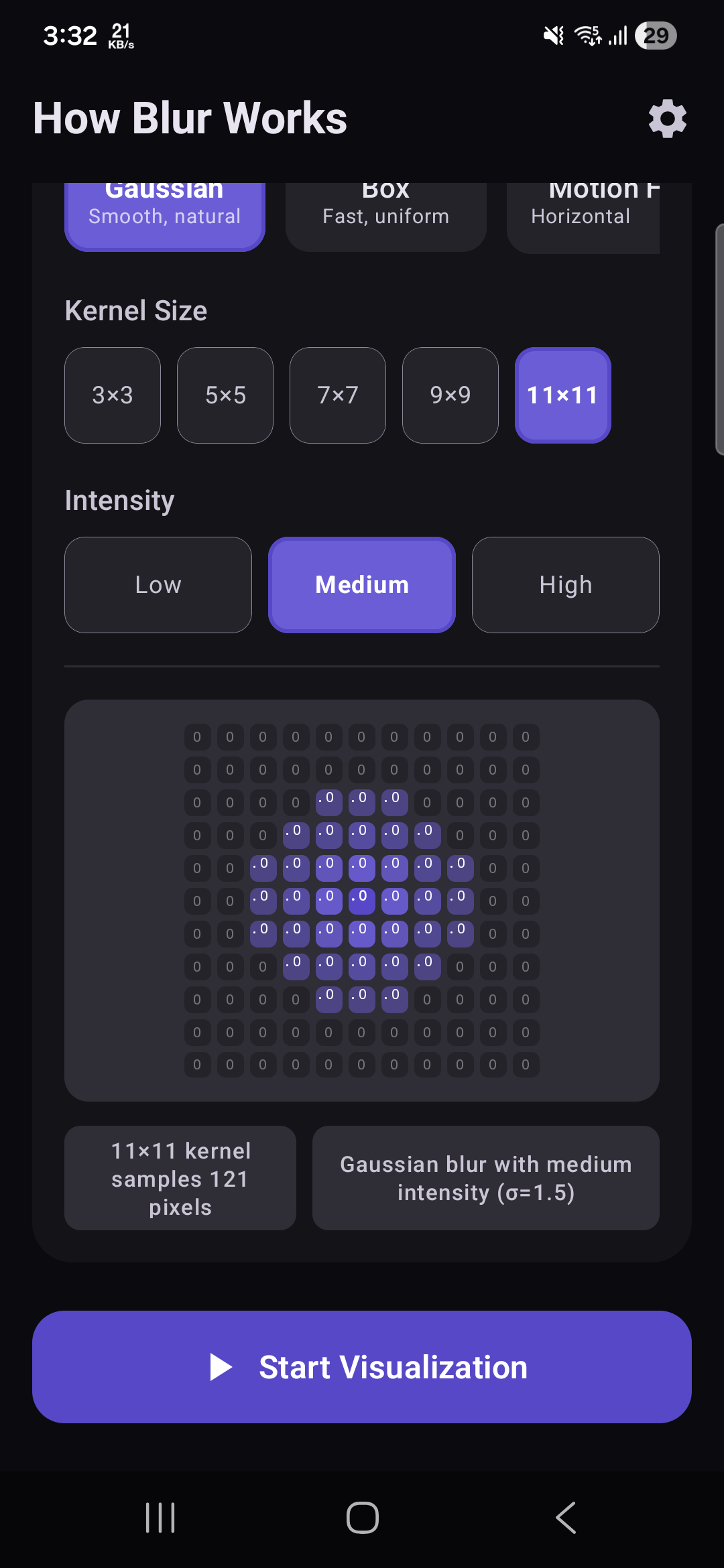
- Interactive Kernel Preview - See the actual kernel matrix with weight values
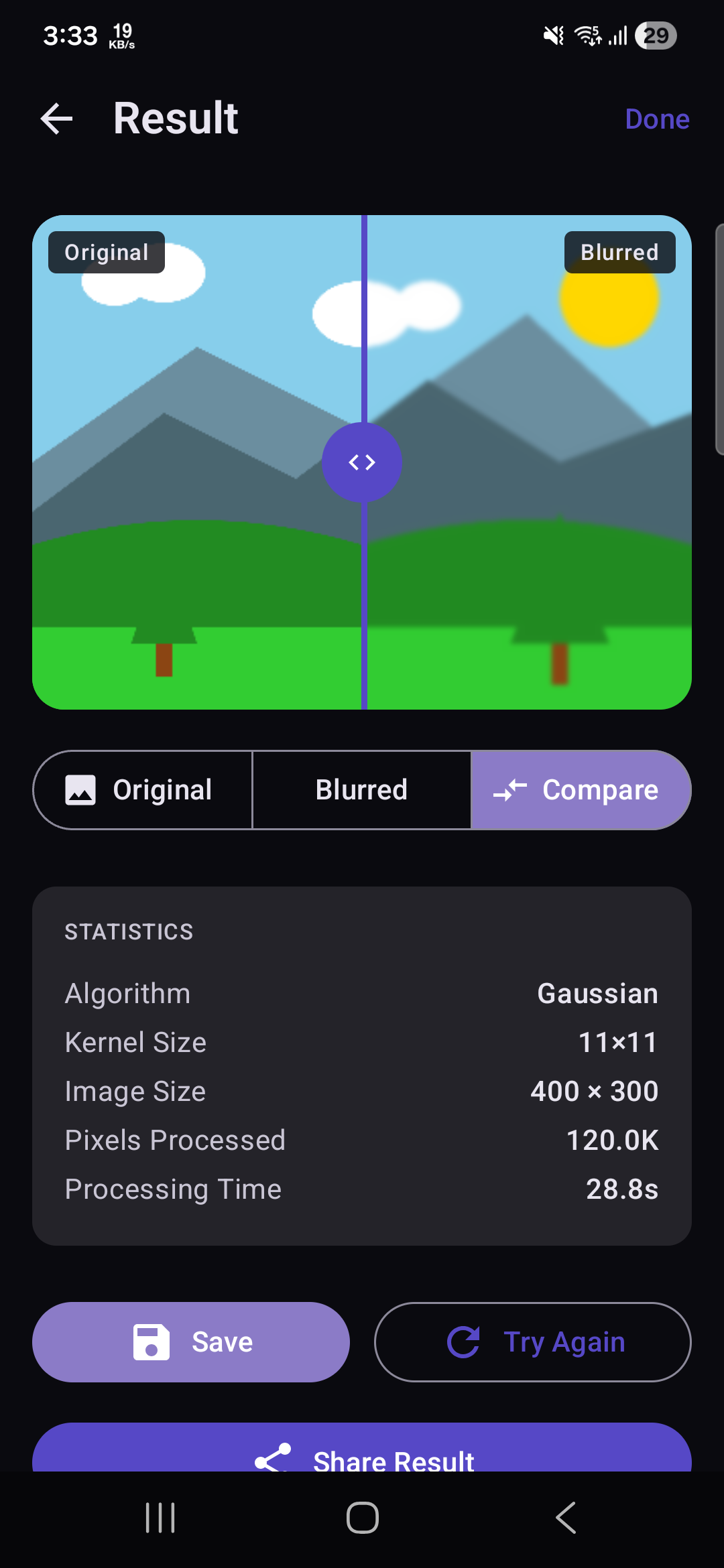
- Before/After Comparison - Slider to compare original and blurred images
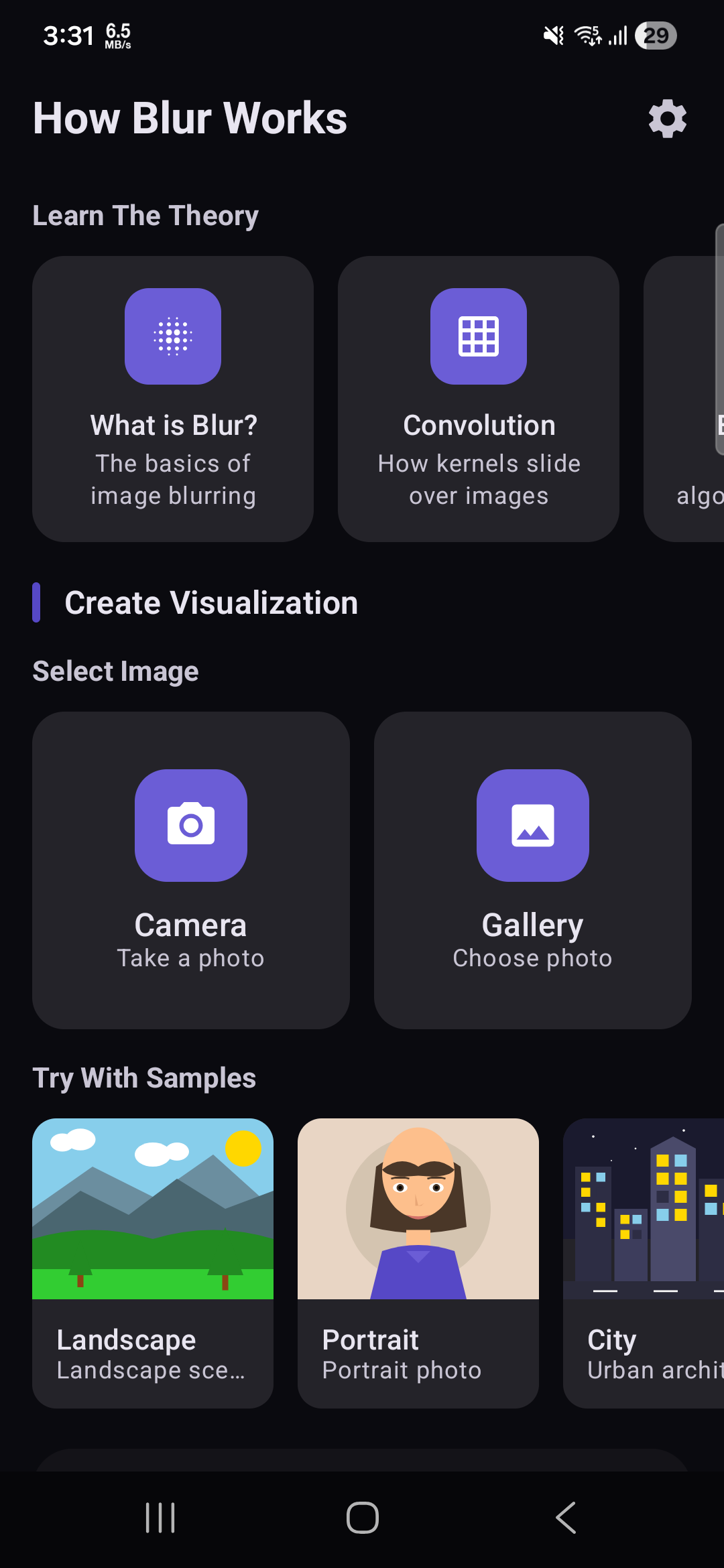
- Sample Images - Pre-loaded images for quick testing
- Camera Support - Capture photos directly for processing
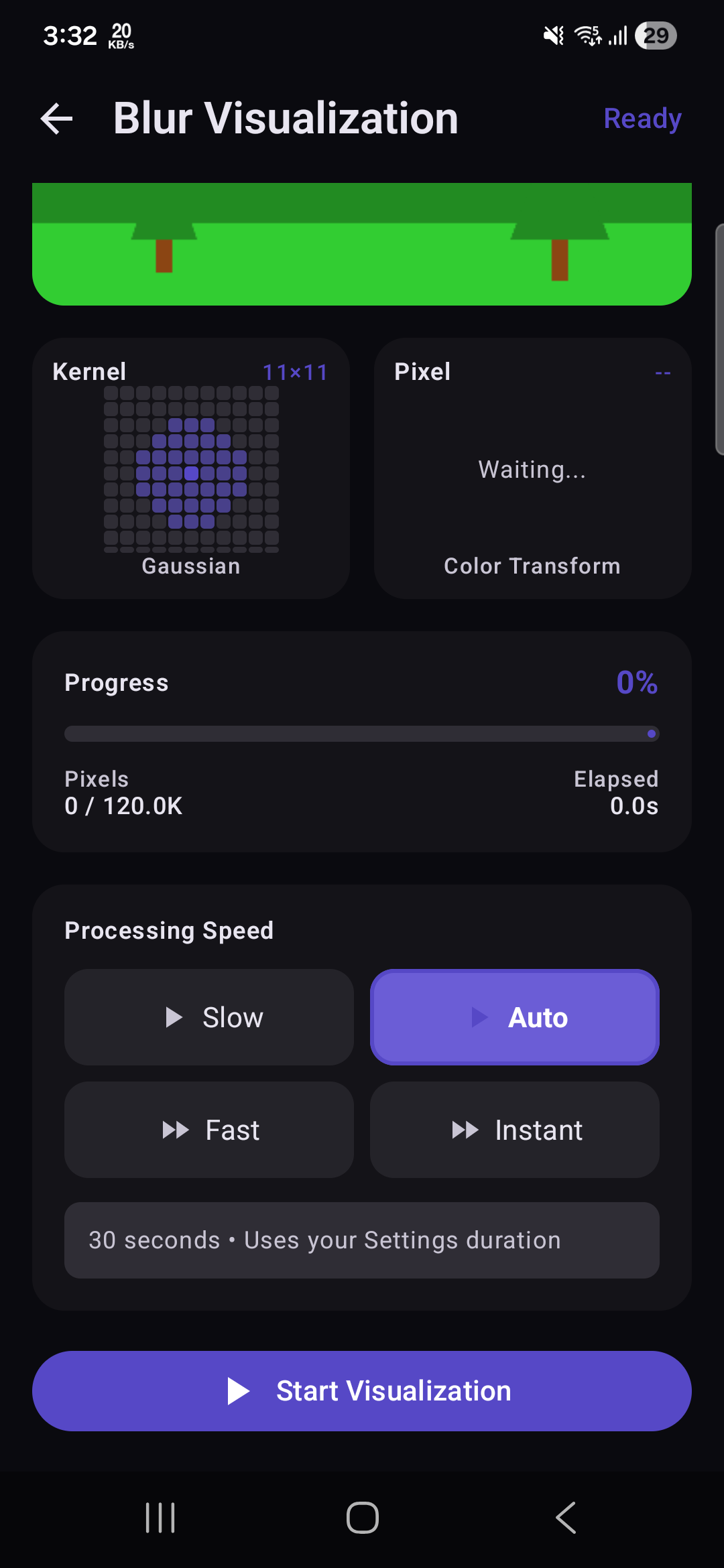
- Configurable Speed - Control visualization speed from 5s to 45s
- Progress Tracking - Real-time progress with pixel count and elapsed time
- Pause/Resume - Full control over the visualization process
- Save & Share - Export blurred images to gallery or share directly
- Educational Content - Learn about blur theory with built-in explanations
- Material 3 Design - Modern UI with dark mode support
Download
You can download the latest APK from here

Check out the releases section for more details.
Screenshots
| Shots | Shots | Shots |
|---|---|---|
 |
 |
 |
 |
 |
 |
How It Works
How Blur Works visualizes the convolution process that powers image blur effects. Here's the technical flow:
Blur Algorithms
Gaussian Blur
Uses a bell-curve weighted kernel where center pixels have more influence. Produces smooth, natural-looking blur with no artifacts.
Box Blur
Equal weights for all pixels in the kernel. Fast and simple, but can produce boxy artifacts.
Motion Blur
Simulates camera motion by only blurring in one direction (horizontal or vertical).
Convolution Process
- Kernel Generation - Generate weight matrix based on blur type and size
- Pixel Iteration - Process each pixel from top-left to bottom-right
- Neighbor Sampling - Collect surrounding pixel colors within kernel radius
- Weight Multiplication - Multiply each color by corresponding kernel weight
- Sum Calculation - Sum all weighted RGB values
- Color Output - Clamp result to valid range (0-255) for new pixel color
- Progress Emission - Emit bitmap snapshots at configured intervals for visualization
Kernel Matrix Examples
Gaussian Blur
Bell-curve weighted kernel - center pixels have highest influence, creating smooth natural blur.
Gaussian 3×3 (Low σ=0.8):          Gaussian 3×3 (High σ=2.5):
┌──────┬──────┬──────┐             ┌──────┬──────┬──────┐
│ 0.05 │ 0.12 │ 0.05 │             │ 0.10 │ 0.12 │ 0.10 │
├──────┼──────┼──────┤             ├──────┼──────┼──────┤
│ 0.12 │ 0.32 │ 0.12 │             │ 0.12 │ 0.12 │ 0.12 │
├──────┼──────┼──────┤             ├──────┼──────┼──────┤
│ 0.05 │ 0.12 │ 0.05 │             │ 0.10 │ 0.12 │ 0.10 │
└──────┴──────┴──────┘             └──────┴──────┴──────┘

Gaussian 7×7 (Medium σ=1.5):
┌──────┬──────┬──────┬──────┬──────┬──────┬──────┐
│ 0.00 │ 0.01 │ 0.02 │ 0.02 │ 0.02 │ 0.01 │ 0.00 │
├──────┼──────┼──────┼──────┼──────┼──────┼──────┤
│ 0.01 │ 0.02 │ 0.04 │ 0.05 │ 0.04 │ 0.02 │ 0.01 │
├──────┼──────┼──────┼──────┼──────┼──────┼──────┤
│ 0.02 │ 0.04 │ 0.07 │ 0.08 │ 0.07 │ 0.04 │ 0.02 │
├──────┼──────┼──────┼──────┼──────┼──────┼──────┤
│ 0.02 │ 0.05 │ 0.08 │ 0.10 │ 0.08 │ 0.05 │ 0.02 │
├──────┼──────┼──────┼──────┼──────┼──────┼──────┤
│ 0.02 │ 0.04 │ 0.07 │ 0.08 │ 0.07 │ 0.04 │ 0.02 │
├──────┼──────┼──────┼──────┼──────┼──────┼──────┤
│ 0.01 │ 0.02 │ 0.04 │ 0.05 │ 0.04 │ 0.02 │ 0.01 │
├──────┼──────┼──────┼──────┼──────┼──────┼──────┤
│ 0.00 │ 0.01 │ 0.02 │ 0.02 │ 0.02 │ 0.01 │ 0.00 │
└──────┴──────┴──────┴──────┴──────┴──────┴──────┘
Box Blur
Equal weights for all pixels - simple averaging that can produce boxy artifacts.
Box 3×3:                           Box 7×7:
┌──────┬──────┬──────┐             ┌──────┬──────┬──────┬──────┬──────┬──────┬──────┐
│ 0.11 │ 0.11 │ 0.11 │             │ 0.02 │ 0.02 │ 0.02 │ 0.02 │ 0.02 │ 0.02 │ 0.02 │
├──────┼──────┼──────┤             ├──────┼──────┼──────┼──────┼──────┼──────┼──────┤
│ 0.11 │ 0.11 │ 0.11 │             │ 0.02 │ 0.02 │ 0.02 │ 0.02 │ 0.02 │ 0.02 │ 0.02 │
├──────┼──────┼──────┤             ├──────┼──────┼──────┼──────┼──────┼──────┼──────┤
│ 0.11 │ 0.11 │ 0.11 │             │ 0.02 │ 0.02 │ 0.02 │ 0.02 │ 0.02 │ 0.02 │ 0.02 │
└──────┴──────┴──────┘             ├──────┼──────┼──────┼──────┼──────┼──────┼──────┤
                                   │ 0.02 │ 0.02 │ 0.02 │ 0.02 │ 0.02 │ 0.02 │ 0.02 │
                                   ├──────┼──────┼──────┼──────┼──────┼──────┼──────┤
                                   │ 0.02 │ 0.02 │ 0.02 │ 0.02 │ 0.02 │ 0.02 │ 0.02 │
                                   ├──────┼──────┼──────┼──────┼──────┼──────┼──────┤
                                   │ 0.02 │ 0.02 │ 0.02 │ 0.02 │ 0.02 │ 0.02 │ 0.02 │
                                   ├──────┼──────┼──────┼──────┼──────┼──────┼──────┤
                                   │ 0.02 │ 0.02 │ 0.02 │ 0.02 │ 0.02 │ 0.02 │ 0.02 │
                                   └──────┴──────┴──────┴──────┴──────┴──────┴──────┘
Motion Blur
Directional blur simulating camera movement - weights only in one axis.
Motion Horizontal 3×3:             Motion Vertical 3×3:
┌──────┬──────┬──────┐             ┌──────┬──────┬──────┐
│ 0.00 │ 0.00 │ 0.00 │             │ 0.00 │ 0.33 │ 0.00 │
├──────┼──────┼──────┤             ├──────┼──────┼──────┤
│ 0.33 │ 0.33 │ 0.33 │             │ 0.00 │ 0.33 │ 0.00 │
├──────┼──────┼──────┤             ├──────┼──────┼──────┤
│ 0.00 │ 0.00 │ 0.00 │             │ 0.00 │ 0.33 │ 0.00 │
└──────┴──────┴──────┘             └──────┴──────┴──────┘

Motion Horizontal 7×7:             Motion Vertical 7×7:
┌──────┬──────┬──────┬──────┬──────┬──────┬──────┐
│ 0.00 │ 0.00 │ 0.00 │ 0.00 │ 0.00 │ 0.00 │ 0.00 │
├──────┼──────┼──────┼──────┼──────┼──────┼──────┤
│ 0.00 │ 0.00 │ 0.00 │ 0.00 │ 0.00 │ 0.00 │ 0.00 │
├──────┼──────┼──────┼──────┼──────┼──────┼──────┤
│ 0.00 │ 0.00 │ 0.00 │ 0.00 │ 0.00 │ 0.00 │ 0.00 │
├──────┼──────┼──────┼──────┼──────┼──────┼──────┤
│ 0.14 │ 0.14 │ 0.14 │ 0.14 │ 0.14 │ 0.14 │ 0.14 │  ← center row
├──────┼──────┼──────┼──────┼──────┼──────┼──────┤
│ 0.00 │ 0.00 │ 0.00 │ 0.00 │ 0.00 │ 0.00 │ 0.00 │
├──────┼──────┼──────┼──────┼──────┼──────┼──────┤
│ 0.00 │ 0.00 │ 0.00 │ 0.00 │ 0.00 │ 0.00 │ 0.00 │
├──────┼──────┼──────┼──────┼──────┼──────┼──────┤
│ 0.00 │ 0.00 │ 0.00 │ 0.00 │ 0.00 │ 0.00 │ 0.00 │
└──────┴──────┴──────┴──────┴──────┴──────┴──────┘
Architecture
How Blur Works follows Clean Architecture principles with clear separation of concerns:
┌─────────────────────────────────────────┐
│         Presentation Layer              │
│  (UI + ViewModels + Compose Screens)    │
│                                         │
│  • HomeScreen                           │
│  • VisualizationScreen                  │
│  • ResultScreen                         │
│  • SettingsScreen                       │
└─────────────────────────────────────────┘
                  ↓
┌─────────────────────────────────────────┐
│           Domain Layer                  │
│    (Use Cases + Business Logic)         │
│                                         │
│  • BlurProcessor                        │
│  • KernelGenerator                      │
│  • BlurModels                           │
└─────────────────────────────────────────┘
                  ↓
┌─────────────────────────────────────────┐
│            Data Layer                   │
│      (Models + Repositories)            │
│                                         │
│  • ResultHolder                         │
│  • UserPreferences                      │
│  • BitmapUtils                          │
└─────────────────────────────────────────┘
Design Patterns
- MVVM - Model-View-ViewModel for UI state management
- StateFlow - Reactive state management with Kotlin Flow
- Clean Architecture - Domain, Data, and Presentation layers
- Singleton - ResultHolder for bitmap transfer between screens
Tech Stack
Core
- Kotlin 2.1.0 - Primary programming language
- Jetpack Compose 1.7.6 - Modern declarative UI framework
- Material 3 - Latest Material Design components
- Coroutines & Flow - Asynchronous programming
Architecture Components
- Navigation Compose - Type-safe navigation
- ViewModel - UI state management
- Lifecycle - Lifecycle-aware components
- DataStore - Preferences storage
Image Processing
- Custom Convolution Engine - Pure Kotlin blur implementation
- Bitmap Operations - Android graphics APIs
- ExifInterface - Image orientation handling
- Coil - Image loading and caching
Build & Tools
- Gradle 8.9 - Build system
- AGP 8.7.3 - Android Gradle Plugin
- Min SDK 24 - Android 7.0 (Nougat)
- Target SDK 36 - Latest Android version
Requirements
- Android 7.0 (API 24) or higher
- Camera permission - For capturing photos
- Storage permission - For saving blurred images
- 50MB+ storage - For app and processed images
Building from Source
Prerequisites
- Android Studio Ladybug Feature Drop | 2024.2.2 or later
- JDK 11 or higher
- Android SDK with API 24+
Steps
- Clone the repository
git clone https://github.com/ahmmedrejowan/HowBlurWorks.git
cd HowBlurWorks- Open in Android Studio
# Open Android Studio and select "Open an Existing Project"
# Navigate to the cloned directory- Sync Gradle
# Android Studio will automatically sync Gradle
# Or manually: File → Sync Project with Gradle Files- Build the project
./gradlew assembleDebug
# Or use Android Studio: Build → Build Bundle(s) / APK(s) → Build APK(s)- Run on device
./gradlew installDebug
# Or use Android Studio: Run → Run 'app'
Build Variants
- Debug - Development build with logging
- Release - Production-ready build
Usage Guide
Visualizing Blur
- Launch App - Open How Blur Works
- Select Image - Choose from gallery, camera, or sample images
- Configure - Select blur algorithm, kernel size, and intensity
- Preview Kernel - View the kernel matrix that will be applied
- Start - Tap "Start Visualization" to begin processing
- Watch - Observe pixel-by-pixel transformation with overlay
- Control - Pause, resume, or skip to end anytime
- Compare - Use slider to compare original vs blurred
- Save/Share - Export your blurred image
Understanding the Visualization
- Kernel Cursor - Moving rectangle shows current kernel position
- Scanline - Horizontal line indicates processing row
- Pixel Info - Shows input and output color transformation
- Progress Bar - Percentage and pixel count of completion
License
Copyright (C) 2025 K M Rejowan Ahmmed

This program is free software: you can redistribute it and/or
modify it under the terms of the GNU General Public License as
published by the Free Software Foundation, either version 3
of the License, or (at your option) any later version.

This program is distributed in the hope that it will be useful,
but WITHOUT ANY WARRANTY; without even the implied warranty of
MERCHANTABILITY or FITNESS FOR A PARTICULAR PURPOSE. See the
GNU General Public License for more details.

You should have received a copy of the GNU General Public
License along with this program. If not,
see <https://www.gnu.org/licenses/>.
[!WARNING] This is a copyleft license. How Blur Works is licensed under GPL v3.0, which means:
- ✅ You can freely use, modify, and distribute this software
- ⚠️ Any derivative works must also be licensed under GPL v3.0
- ⚠️ You must disclose your source code if you distribute modified versions
- ⚠️ You cannot distribute proprietary/closed-source versions of this software
If you need different licensing terms, please contact the author.
Author
K M Rejowan Ahmmed
- GitHub: @ahmmedrejowan
- Email: kmrejowan@gmail.com
Acknowledgments
- Jetpack Compose - Modern Android UI toolkit
- Material Design 3 - Design system
- Coil - Image loading library
- DataStore - Preferences storage
- Kotlin
- android
- blur
- convolution
- image
- jetpack-compose
Changelog
1.0
latest- Real-time pixel-by-pixel blur visualization
- 4 blur algorithms: Gaussian, Box, Motion Horizontal, Motion Vertical
- Kernel sizes from 3×3 to 11×11
- and 7 more
Full notes for 1.0
1.0 on GitHub ↗1.0
How Blur Works - Educational Blur Algorithm Visualizer
What's New
- Real-time pixel-by-pixel blur visualization
- 4 blur algorithms: Gaussian, Box, Motion Horizontal, Motion Vertical
- Kernel sizes from 3×3 to 11×11
- Interactive kernel matrix preview
- Before/After image comparison slider
- Camera & gallery image support
- Configurable visualization speed (5s - 45s)
- Save & share blurred images
- Dark mode support
Requirements
- Android 7.0 (API 24) or higher
More apps

PDF Reader Pro
apps / pdfModern PDF Viewer for Android

Chargify
apps / chargifyAdvanced Battery Monitor & Charging Manager

Linky
apps / linkyModern Link & Bookmark Manager for Android