
ExplosionField library
A powerful and customizable Android explosion animation library with multiple explosion styles
github.com/ahmmedrejowan/ExplosionField
Install
Add the JitPack repository to
settings.gradle.kts(orsettings.gradle):kotlindependencyResolutionManagement { repositories { mavenCentral() maven { url = uri("https://jitpack.io") } } }groovydependencyResolutionManagement { repositories { mavenCentral() maven { url 'https://jitpack.io' } } }Add the dependency to your module's
build.gradle.kts(orbuild.gradle):kotlindependencies { implementation("com.github.ahmmedrejowan:ExplosionField:1.0.0") }groovydependencies { implementation 'com.github.ahmmedrejowan:ExplosionField:1.0.0' }
Contents (12 sections)
Purpose
This library is a modern recreation of the original ExplosionField by tyrantgit, which was created over 10 years ago and has not been updated for a long time. As a developer who started with Android, I really loved this library, seeing it become outdated truly hurt me.
That's why I've recreated it from scratch with:
- Modern Android features and best practices
- Written in Kotlin for better performance and code safety
- Enhanced physics engine with multiple explosion styles
- Extensive customization options and flexible API
- Active maintenance with more improvements coming soon
This is my tribute to a library that inspired countless developers, now brought back to life for modern Android development.
Features
- ** 4 Explosion Styles**: Fountain (parabolic), Scatter (radial), Fall (gravity), and Vortex (spiral)
- ️ Flexible Configuration: Customize particle count, size, duration, colors, and physics behavior
- ** Color Modes**: Original colors, grayscale, random, or custom tint
- ** Built-in Presets**: Gentle, Aggressive, Dust, and Chunky ready-to-use configurations
- ** Advanced Physics**: Realistic particle motion with gravity, velocity, and rotation
- ** Easy Integration**: Simple one-line implementation with fluent API
- ** Lifecycle Aware**: Automatic cleanup and memory management
- ** View Targeting**: Explode any Android View with pixel-perfect particle generation
- ** High Performance**: Optimized rendering with minimal overhead
- ️ Highly Customizable: Fine-tune every aspect of the explosion animation
Demo
| Gif | Gif |
|---|---|
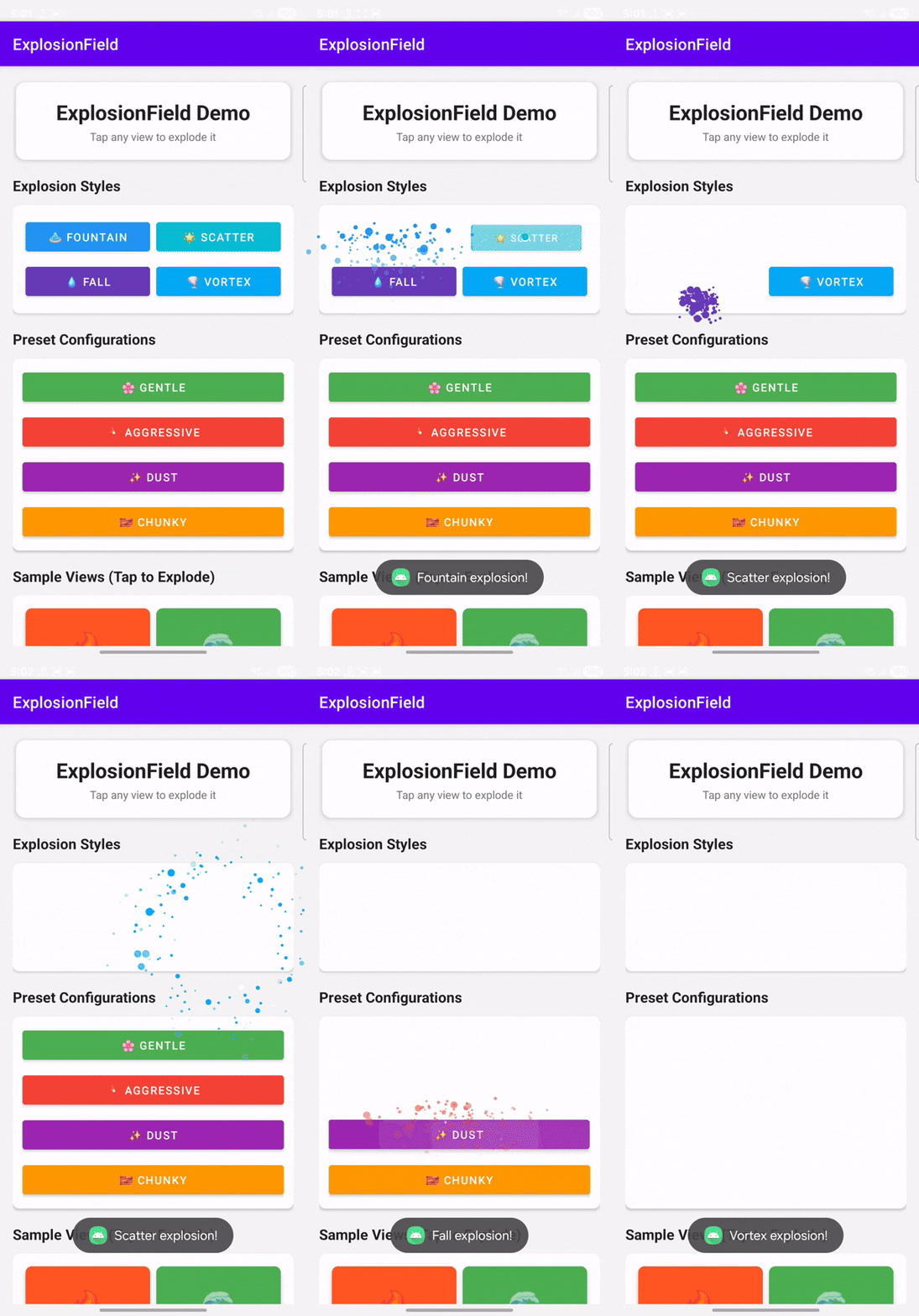 |
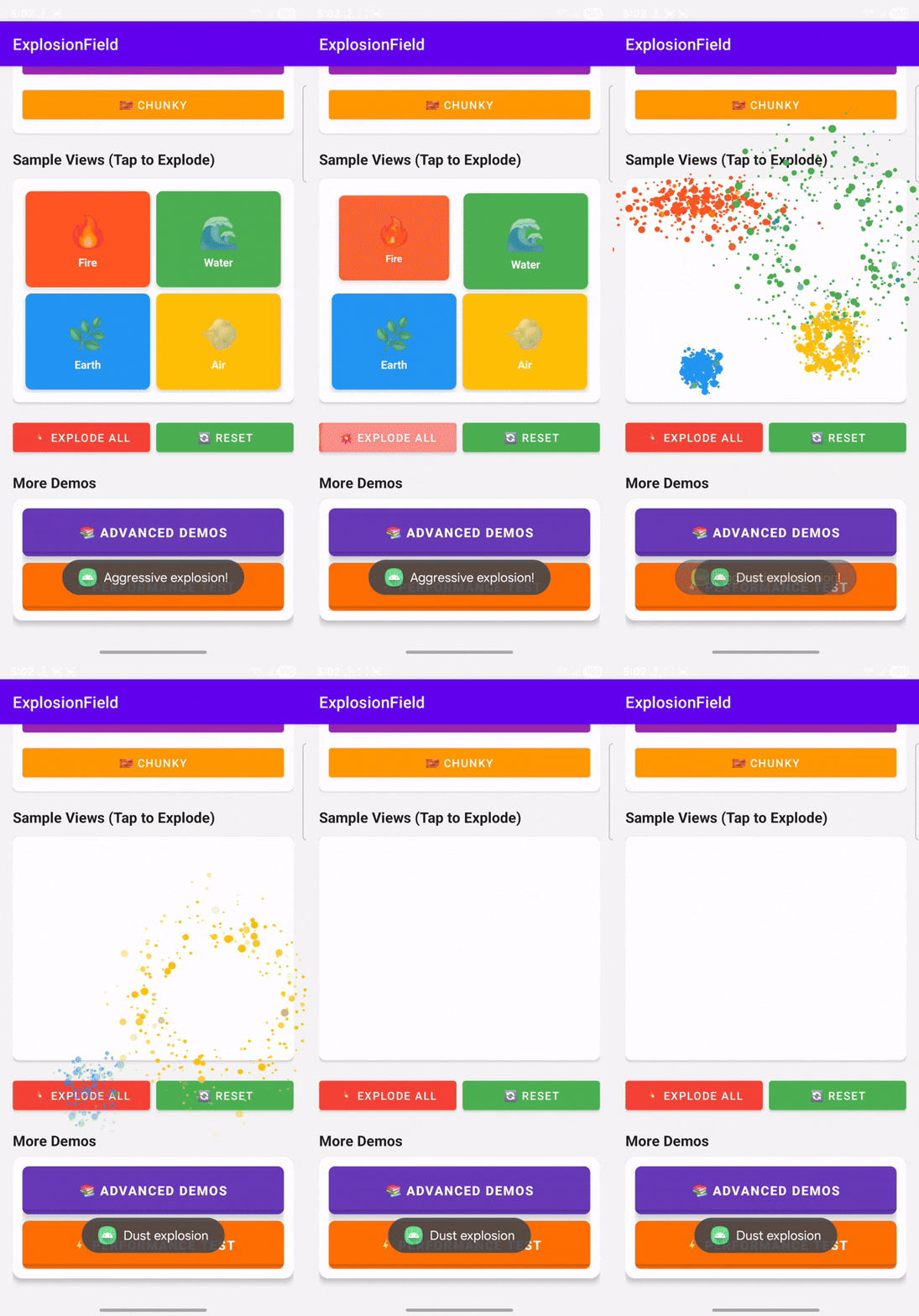 |
| Shots | Shots |
|---|---|
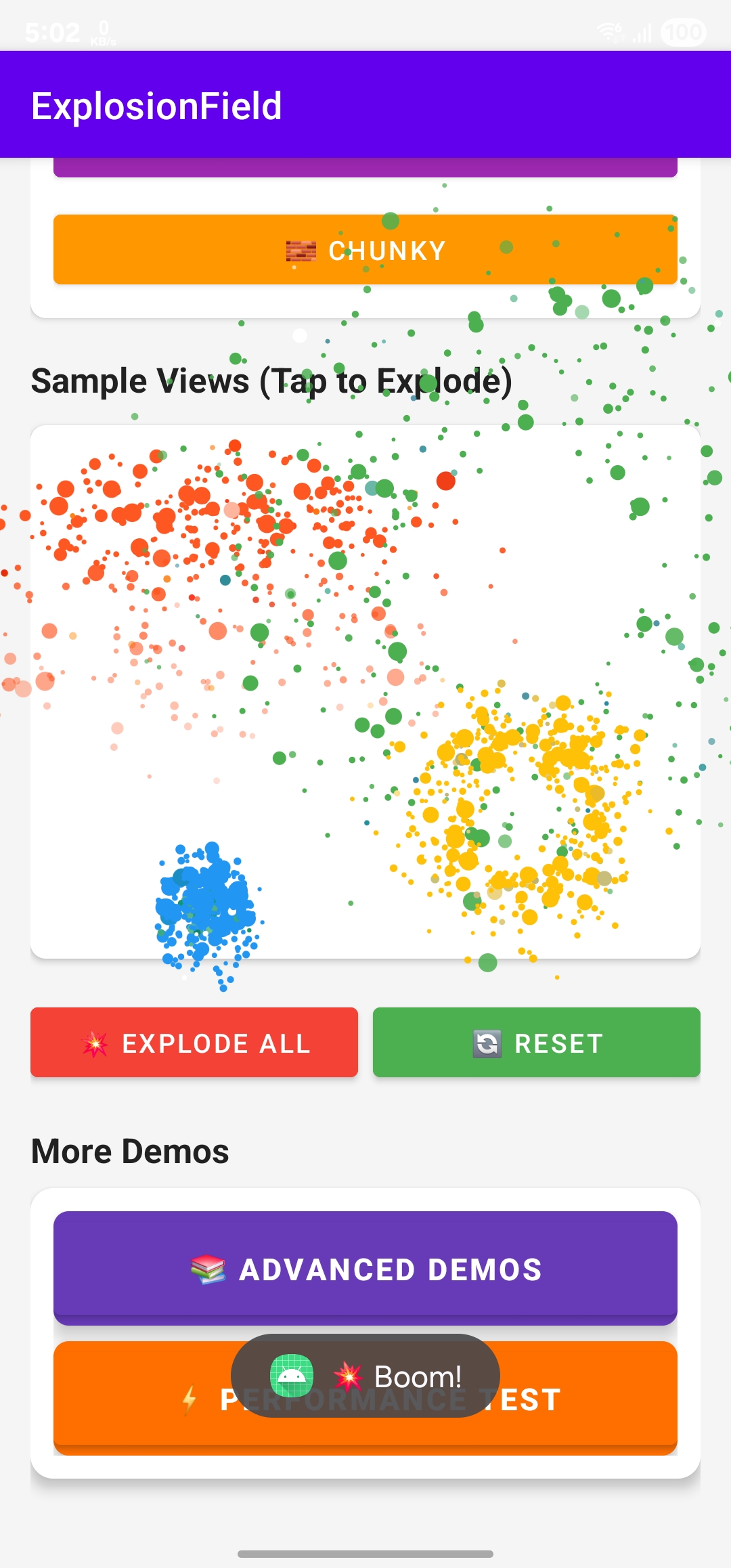 |
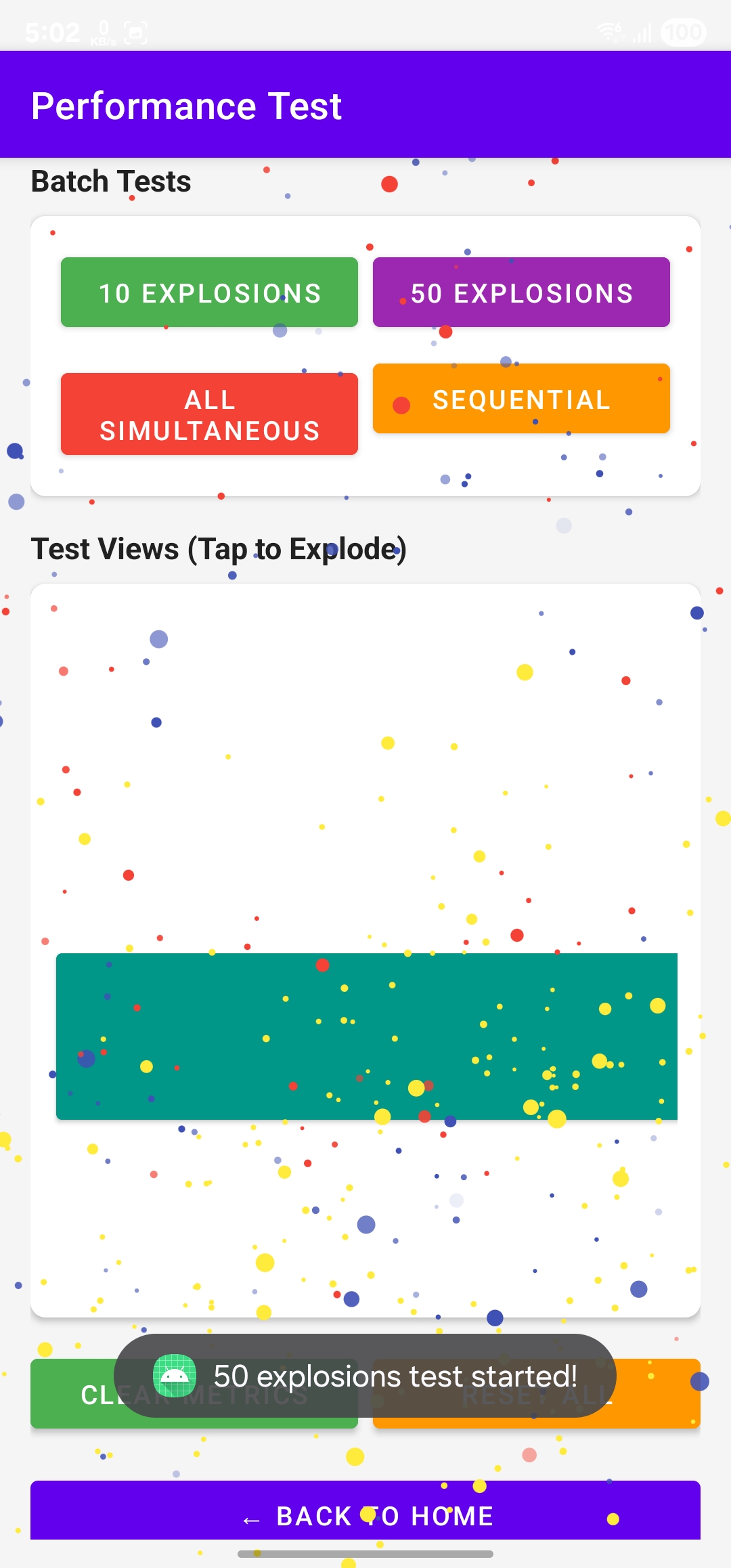 |
Run Locally
Want to test the library locally? Follow these steps:
1. Clone the Repository:
git clone https://github.com/ahmmedrejowan/ExplosionField.git
cd ExplosionField
2. Open in Android Studio
3. Build the Project
4. Run the Demo App
5. Test Different Features
Prerequisites
Kotlin DSL
dependencyResolutionManagement {
    repositoriesMode.set(RepositoriesMode.FAIL_ON_PROJECT_REPOS)
    repositories {
        google()
        mavenCentral()
        maven{
            url = uri("https://jitpack.io")
        }
    }
}
Dependency
Add this to your module's build.gradle.kts file (latest
version  ):
implementation("com.github.ahmmedrejowan:ExplosionField:1.0.0")Usage
Basic Usage
Kotlin:
// Attach explosion field to your activity
val explosionField = ExplosionField.attach(this)

// Explode a view with default configuration
explosionField.explode(view)
Java:
// Attach explosion field to your activity
ExplosionField explosionField = ExplosionField.attach(this);

// Explode a view with default configuration
explosionField.explode(view);
Using Built-in Presets
Kotlin:
val explosionField = ExplosionField.attach(this)

// Gentle explosion
explosionField.explode(view, ExplosionConfig.GENTLE)

// Aggressive explosion
explosionField.explode(view, ExplosionConfig.AGGRESSIVE)

// Dust particles
explosionField.explode(view, ExplosionConfig.DUST)

// Chunky particles
explosionField.explode(view, ExplosionConfig.CHUNKY)
Java:
ExplosionField explosionField = ExplosionField.attach(this);

// Gentle explosion
explosionField.explode(view, ExplosionConfig.GENTLE);

// Aggressive explosion
explosionField.explode(view, ExplosionConfig.AGGRESSIVE);
Using Different Explosion Styles
Kotlin:
val explosionField = ExplosionField.attach(this)

// Fountain style (parabolic arc motion)
explosionField.explode(view, ExplosionConfig(
    style = ExplosionConfig.ExplosionStyle.FOUNTAIN
))

// Scatter style (360° radial expansion)
explosionField.explode(view, ExplosionConfig(
    style = ExplosionConfig.ExplosionStyle.SCATTER
))

// Fall style (gravity-based falling)
explosionField.explode(view, ExplosionConfig(
    style = ExplosionConfig.ExplosionStyle.FALL
))

// Vortex style (spiral rotation)
explosionField.explode(view, ExplosionConfig(
    style = ExplosionConfig.ExplosionStyle.VORTEX
))
Java:
ExplosionField explosionField = ExplosionField.attach(this);

// Fountain style
explosionField.explode(view, new ExplosionConfig.Builder()
    .setStyle(ExplosionConfig.ExplosionStyle.FOUNTAIN)
    .build());

// Scatter style
explosionField.explode(view, new ExplosionConfig.Builder()
    .setStyle(ExplosionConfig.ExplosionStyle.SCATTER)
    .build());
Explosion Listener
Kotlin:
explosionField.explosionListener = object : ExplosionField.OnExplosionListener {
    override fun onExplosionStart(view: View) {
        Log.d("Explosion", "Started for: ${view.javaClass.simpleName}")
    }

    override fun onExplosionEnd(view: View) {
        Log.d("Explosion", "Ended for: ${view.javaClass.simpleName}")
    }
}
Java:
explosionField.setExplosionListener(new ExplosionField.OnExplosionListener() {
    @Override
    public void onExplosionStart(@NonNull View view) {
        Log.d("Explosion", "Started for: " + view.getClass().getSimpleName());
    }

    @Override
    public void onExplosionEnd(@NonNull View view) {
        Log.d("Explosion", "Ended for: " + view.getClass().getSimpleName());
    }
});
Customization
Custom Configuration
Kotlin:
val config = ExplosionConfig(
    // Explosion style
    style = ExplosionConfig.ExplosionStyle.SCATTER,

    // Particle count (LOW, MEDIUM, HIGH)
    particleCount = ExplosionConfig.ParticleCount.HIGH,

    // Particle size (TINY, SMALL, MEDIUM, LARGE, MIXED)
    particleSize = ExplosionConfig.ParticleSize.MIXED,

    // Duration in milliseconds
    duration = 1500L,

    // Color mode (ORIGINAL, GRAYSCALE, RANDOM, TINTED)
    colorMode = ExplosionConfig.ColorMode.RANDOM,

    // Custom tint color (only used with ColorMode.TINTED)
    tintColor = Color.parseColor("#FF6B6B"),

    // Shake before explode
    shakeBeforeExplode = true,

    // Shake intensity (0.0 to 1.0)
    shakeIntensity = 0.05f,

    // Haptic feedback
    hapticFeedback = true
)

explosionField.explode(view, config)
Java:
ExplosionConfig config = new ExplosionConfig.Builder()
    .setStyle(ExplosionConfig.ExplosionStyle.SCATTER)
    .setParticleCount(ExplosionConfig.ParticleCount.HIGH)
    .setParticleSize(ExplosionConfig.ParticleSize.MIXED)
    .setDuration(1500L)
    .setColorMode(ExplosionConfig.ColorMode.RANDOM)
    .setTintColor(Color.parseColor("#FF6B6B"))
    .setShakeBeforeExplode(true)
    .setShakeIntensity(0.05f)
    .setHapticFeedback(true)
    .build();

explosionField.explode(view, config);
Advanced Examples
Grayscale Scatter Explosion:
explosionField.explode(view, ExplosionConfig(
    style = ExplosionConfig.ExplosionStyle.SCATTER,
    colorMode = ExplosionConfig.ColorMode.GRAYSCALE,
    particleCount = ExplosionConfig.ParticleCount.HIGH,
    duration = 1400L
))
Fast Fountain with Haptic:
explosionField.explode(view, ExplosionConfig(
    style = ExplosionConfig.ExplosionStyle.FOUNTAIN,
    duration = 500L,
    hapticFeedback = true,
    shakeIntensity = 0.15f
))
Slow Vortex with Red Tint:
explosionField.explode(view, ExplosionConfig(
    style = ExplosionConfig.ExplosionStyle.VORTEX,
    colorMode = ExplosionConfig.ColorMode.TINTED,
    tintColor = Color.RED,
    duration = 2000L,
    particleSize = ExplosionConfig.ParticleSize.LARGE
))
Attributes
ExplosionConfig Parameters
| Parameter | Type | Default | Description |
|---|---|---|---|
style |
ExplosionStyle |
FOUNTAIN |
Explosion animation style (FOUNTAIN, SCATTER, FALL, VORTEX) |
particleCount |
ParticleCount |
MEDIUM |
Number of particles (LOW, MEDIUM, HIGH) |
particleSize |
ParticleSize |
MEDIUM |
Size of particles (TINY, SMALL, MEDIUM, LARGE, MIXED) |
duration |
Long |
1500L |
Animation duration in milliseconds |
colorMode |
ColorMode |
ORIGINAL |
Particle coloring mode (ORIGINAL, GRAYSCALE, RANDOM, TINTED) |
tintColor |
Int |
null |
Custom tint color (used only with TINTED mode) |
shakeBeforeExplode |
Boolean |
true |
Enable shake animation before explosion |
shakeIntensity |
Float |
0.05f |
Shake intensity (0.0 to 1.0) |
hapticFeedback |
Boolean |
false |
Enable haptic vibration on explosion |
Explosion Styles
| Style | Description | Use Case |
|---|---|---|
FOUNTAIN |
Parabolic arc motion with gravity | Classic explosion effect, game over screens |
SCATTER |
360° radial expansion outward | Button clicks, item removal |
FALL |
Gravity-based falling particles | Dropping items, deletion effects |
VORTEX |
Spiral rotation motion | Special effects, transitions |
Particle Count
| Count | Approximate Particles | Performance |
|---|---|---|
LOW |
20-40 | Best |
MEDIUM |
40-60 | Good |
HIGH |
60-100 | Moderate |
Particle Size
| Size | Description | Visual Effect |
|---|---|---|
TINY |
Very small particles | Dust, smoke effect |
SMALL |
Small particles | Fine debris |
MEDIUM |
Medium particles | Balanced appearance |
LARGE |
Large particles | Chunky, bold effect |
MIXED |
Random sizes | Natural, varied look |
Color Modes
| Mode | Description |
|---|---|
ORIGINAL |
Uses original view colors |
GRAYSCALE |
Converts to grayscale |
RANDOM |
Random vibrant colors |
TINTED |
Applies custom tint color |
Built-in Presets
// Gentle - Soft, slow explosion
ExplosionConfig.GENTLE

// Aggressive - Fast, intense explosion
ExplosionConfig.AGGRESSIVE

// Dust - Many tiny particles
ExplosionConfig.DUST

// Chunky - Large, bold particles
ExplosionConfig.CHUNKY
Notes
- Performance: For best performance, use
ParticleCount.LOWorMEDIUMfor list items - Memory: The library automatically cleans up animations and releases resources
- Threading: All animations run on the main thread using Android's ValueAnimator
- View Recycling: Safe to use with RecyclerView and ListView
- API Level: Minimum SDK 24 (Android 7.0 Nougat)
- Lifecycle: ExplosionField is lifecycle-aware and cleans up when the activity is destroyed
Inspiration and Credit
This library is inspired by and pays homage to the original ExplosionField by @tyrantgit. The original library was a pioneering work in Android animations that inspired countless developers and projects.
Special thanks to:
- tyrantgit - For creating the original ExplosionField library that started it all
- The Android developer community - For keeping the spirit of creative animations alive
- All contributors and users of this library
Contribute
Please fork this repository and contribute back using pull requests.
Any contributions, large or small, major features, bug fixes, are welcomed and appreciated.
Let me know which features you want in the future in Request Feature tab.
If this project helps you a little bit, then give a to Star ⭐ the Repo.
License
Copyright 2025 ahmmedrejowan

Licensed under the Apache License, Version 2.0 (the "License");
you may not use this file except in compliance with the License.
You may obtain a copy of the License at

 http://www.apache.org/licenses/LICENSE-2.0

Unless required by applicable law or agreed to in writing, software
distributed under the License is distributed on an "AS IS" BASIS,
WITHOUT WARRANTIES OR CONDITIONS OF ANY KIND, either express or implied.
See the License for the specific language governing permissions and
limitations under the License.
- Kotlin
Changelog
1.0.0
latest- 4 Explosion Styles
- Flexible Configuration
- Color Modes
- and 6 more
Full notes for 1.0.0
1.0.0 on GitHub ↗ExplosionField 1.0.0 - Initial Release
A powerful and highly customizable Android explosion animation library that brings views to life with stunning particle effects.
✨ Features
- 4 Explosion Styles: Fountain, Scatter, Fall, and Vortex animations
- Flexible Configuration: Customize particle count, size, duration, colors, and physics
- Color Modes: Original colors, grayscale, random, or custom tint
- Built-in Presets: Gentle, Aggressive, Dust, and Chunky configurations
- Smooth Physics: Realistic particle motion with gravity and velocity
- Easy Integration: Simple one-line implementation with fluent API
- Haptic Feedback: Optional vibration on explosion
- Shake Effect: Pre-explosion shake animation
- Lifecycle Aware: Automatic cleanup and memory management
📦 Installation
Add JitPack repository:
groovymaven { url = uri("https://jitpack.io") }Add dependency:
textimplementation("com.github.ahmmedrejowan:ExplosionField:1.0.0")🚀 Quick Start
kotlinval explosionField = ExplosionField.attach(activity) explosionField.explode(view)📋 Requirements
textMin SDK: 24 (Android 7.0) Target SDK: 36 Kotlin: 2.0.21
More libraries

Country Code Picker Compose
libraries / ccpcA Modern Country Code Picker for Jetpack Compose
- RotaryKnob logo
RotaryKnob
libraries / rotary-knobRotary Knob for Android
- AndroidBatteryView logo
AndroidBatteryView
libraries / android-battery-viewAndroid Battery View