
Tessera product
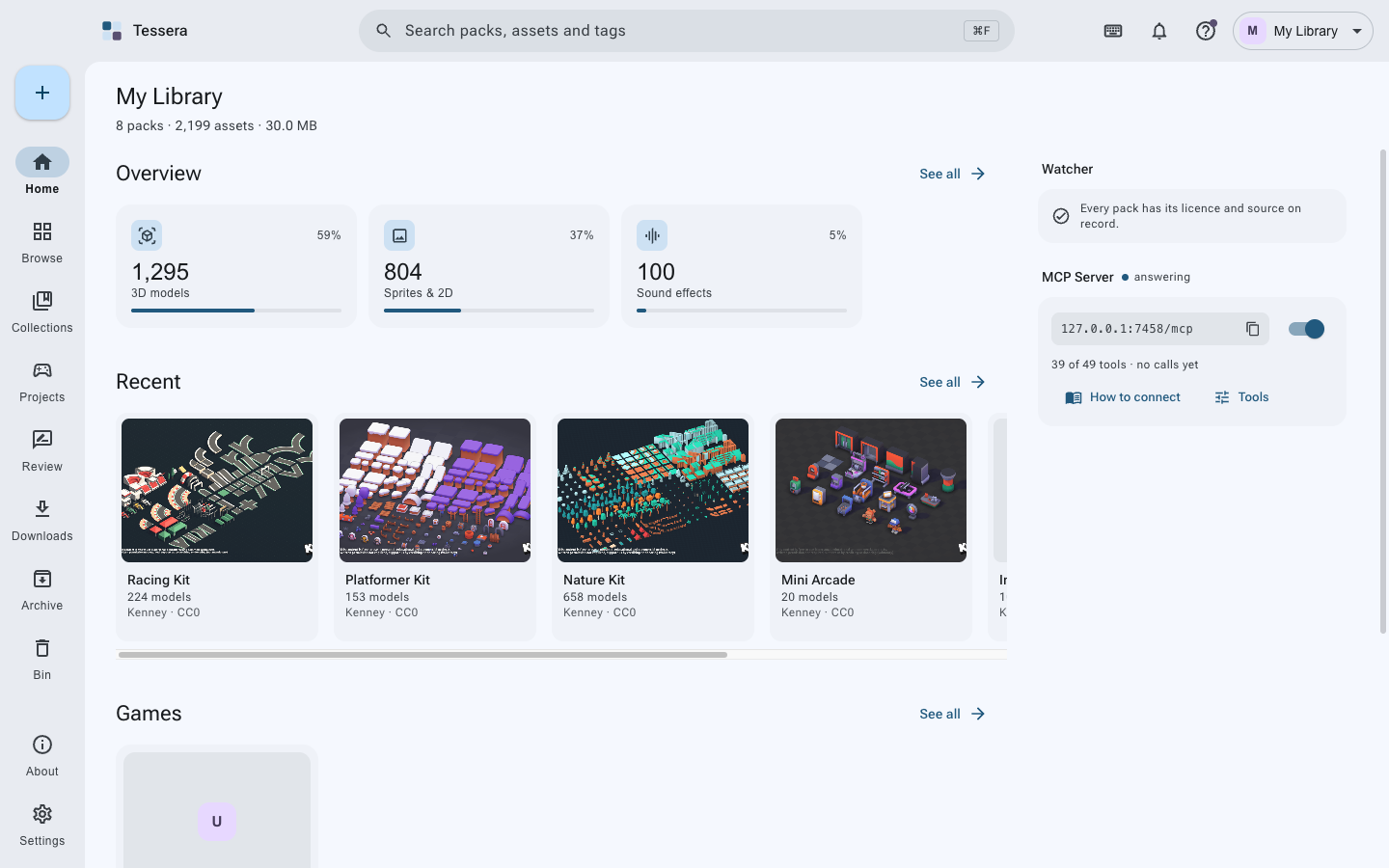
A desktop library for game assets: every pack in one place, with its license and source on record.
github.com/ahmmedrejowan/tessera
Download and install
Or install it with a package manager:
- macOS, Homebrewbash
brew tap ahmmedrejowan/tessera && brew install --cask tessera - Windows, Chocolateybash
choco install tessera - Windows, Scoopbash
scoop bucket add tessera https://github.com/ahmmedrejowan/scoop-tessera && scoop install tessera - Windows, wingetbash
winget install Rejowan.Tessera
Contents (12 sections)
Keep every pack you collect, with its license and source on record. Find the piece you need in seconds, and copy it into your game with the credits written for you.
Features
- Packs kept whole - your download is copied in as it came, zips included, and read inside for what it holds
- License and source on record - read from the pack's own files where possible, with a page snapshot kept as proof
- Review - anything without a license or a source waits there, and cannot reach a game until it has both
- Find anything - search across packs, assets and tags, with filters by type, format, site, creator, license, genre, style and tags
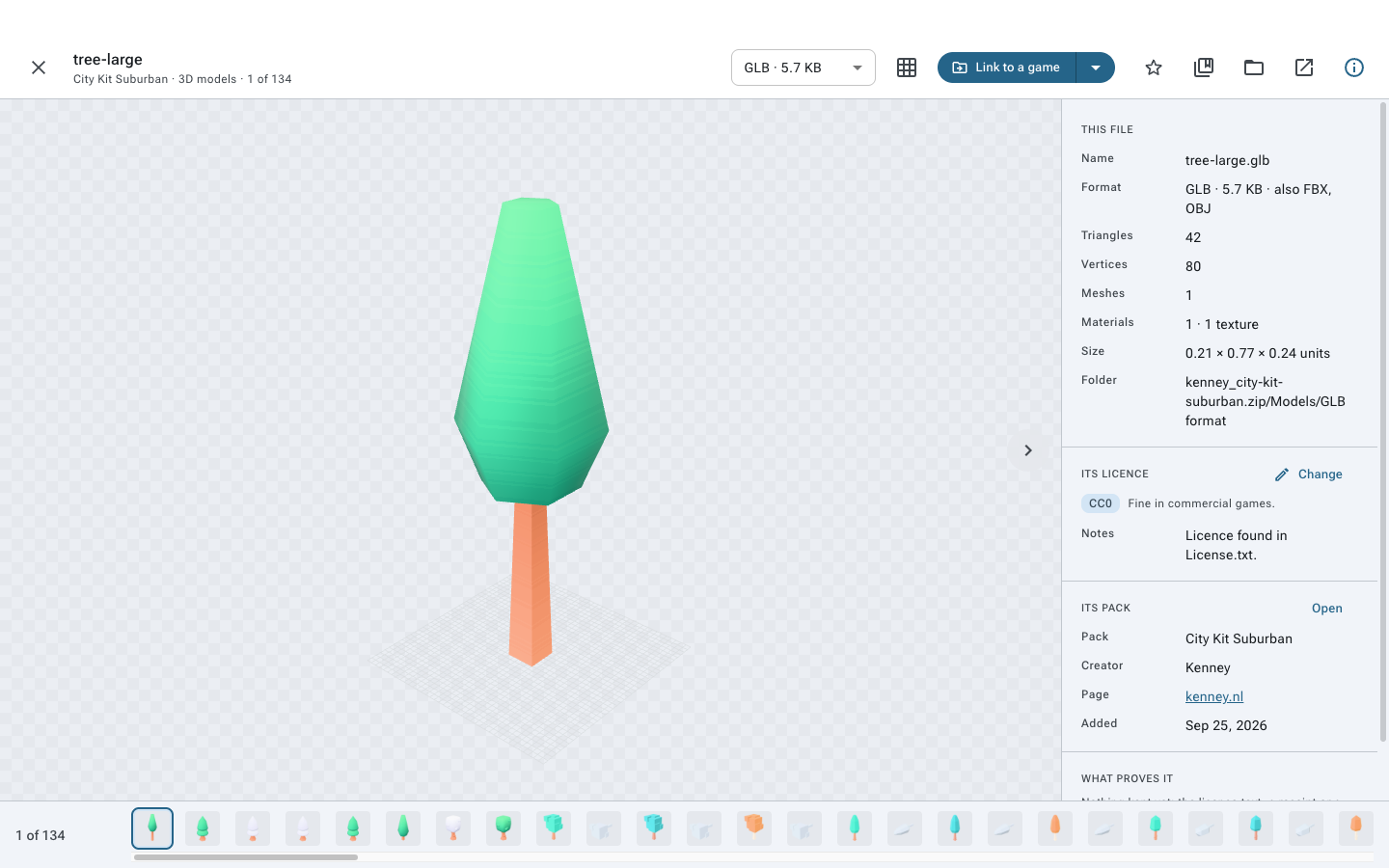
- See it properly - 3D models, images, HDRIs, sprites, sounds and fonts previewed in the app
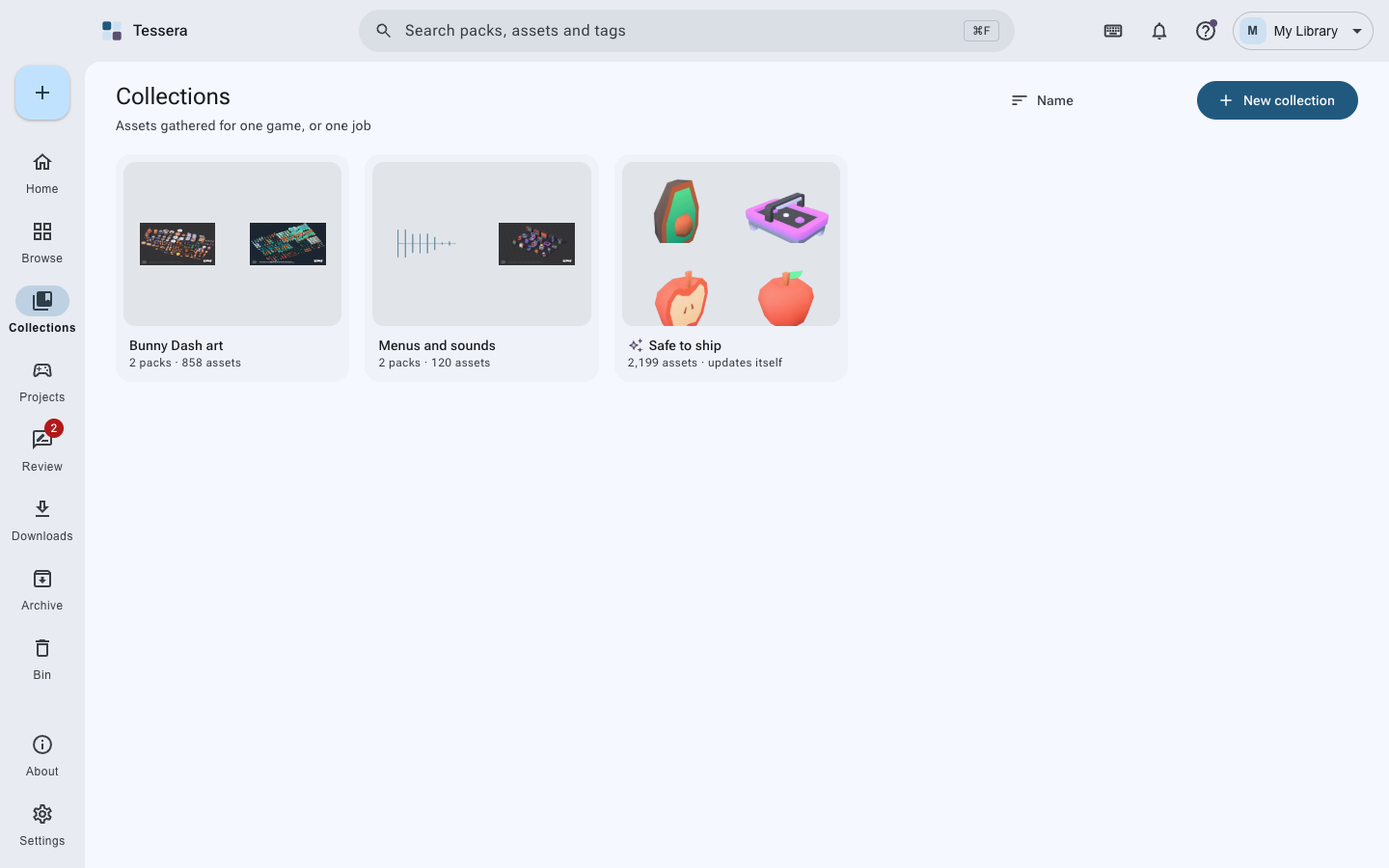
- Collections - gather packs and files for one game, with rules that refuse what does not fit
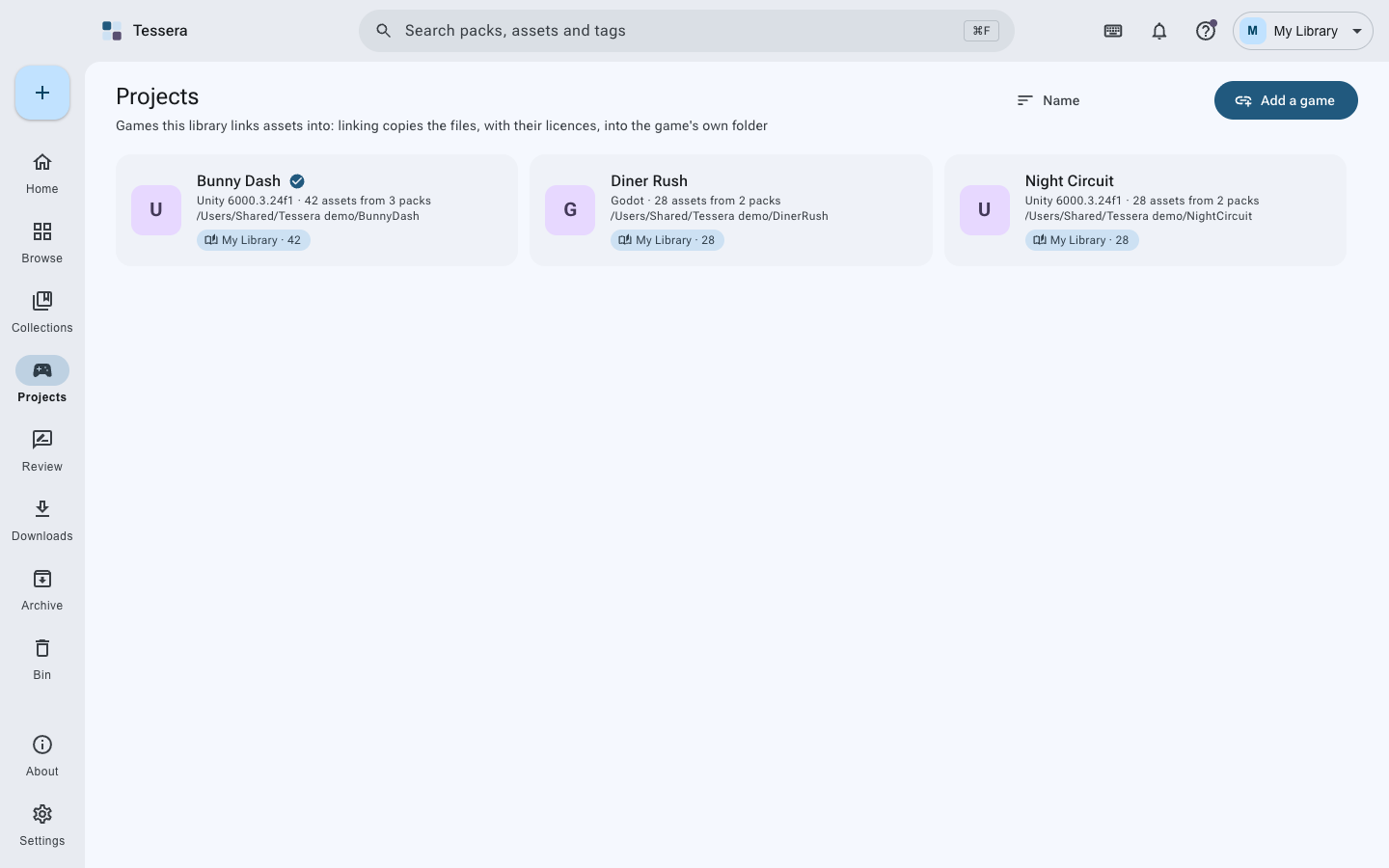
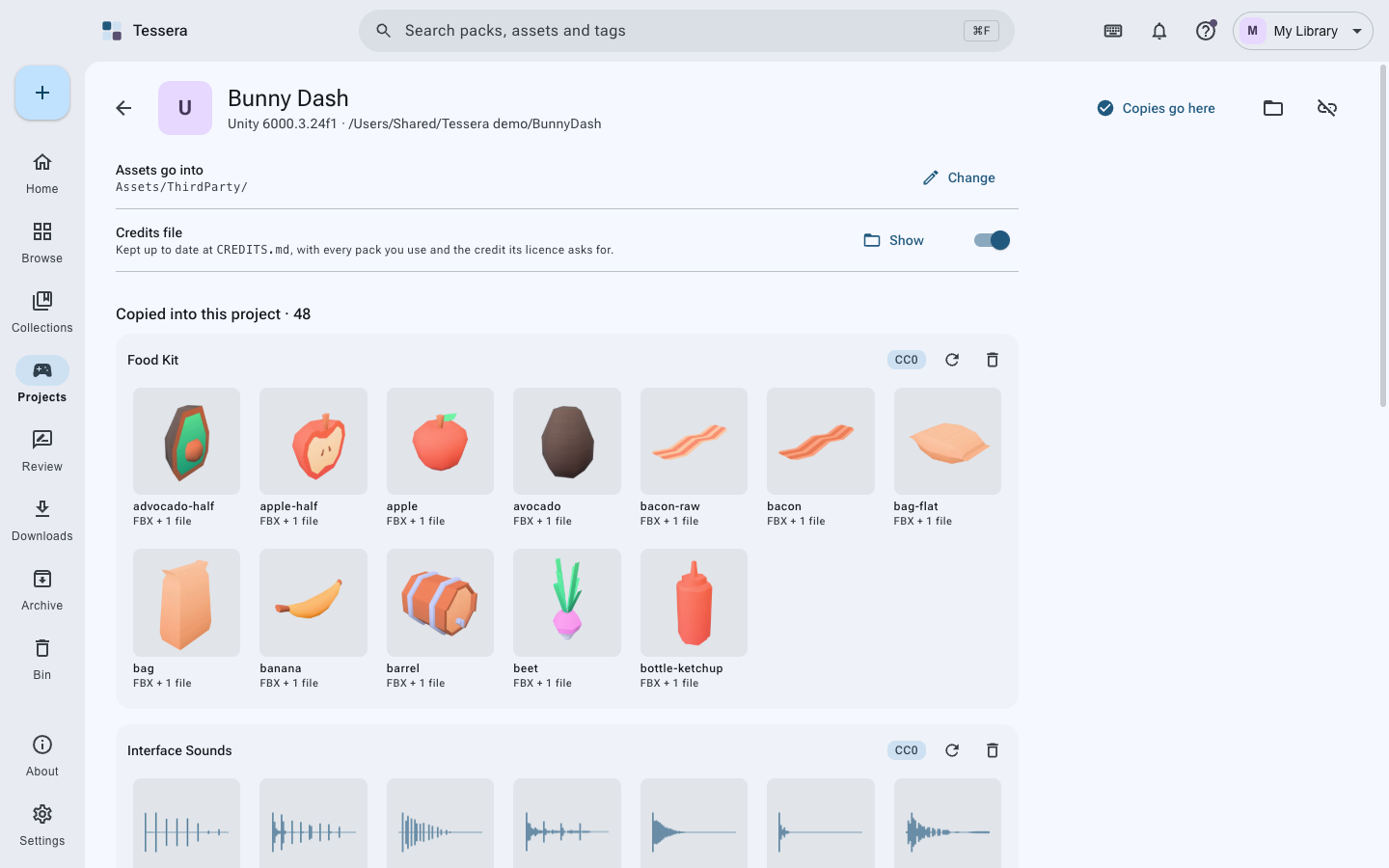
- Games - link assets into Unity, Godot, Unreal or any folder, in the format that engine prefers, with a CREDITS.md kept up to date
- Add to a pack later - drop more files into a pack you already have, in the folder of your choosing
- Starred, archived, binned - keep what matters to hand, put the rest out of the way, and never lose anything to a mis-click
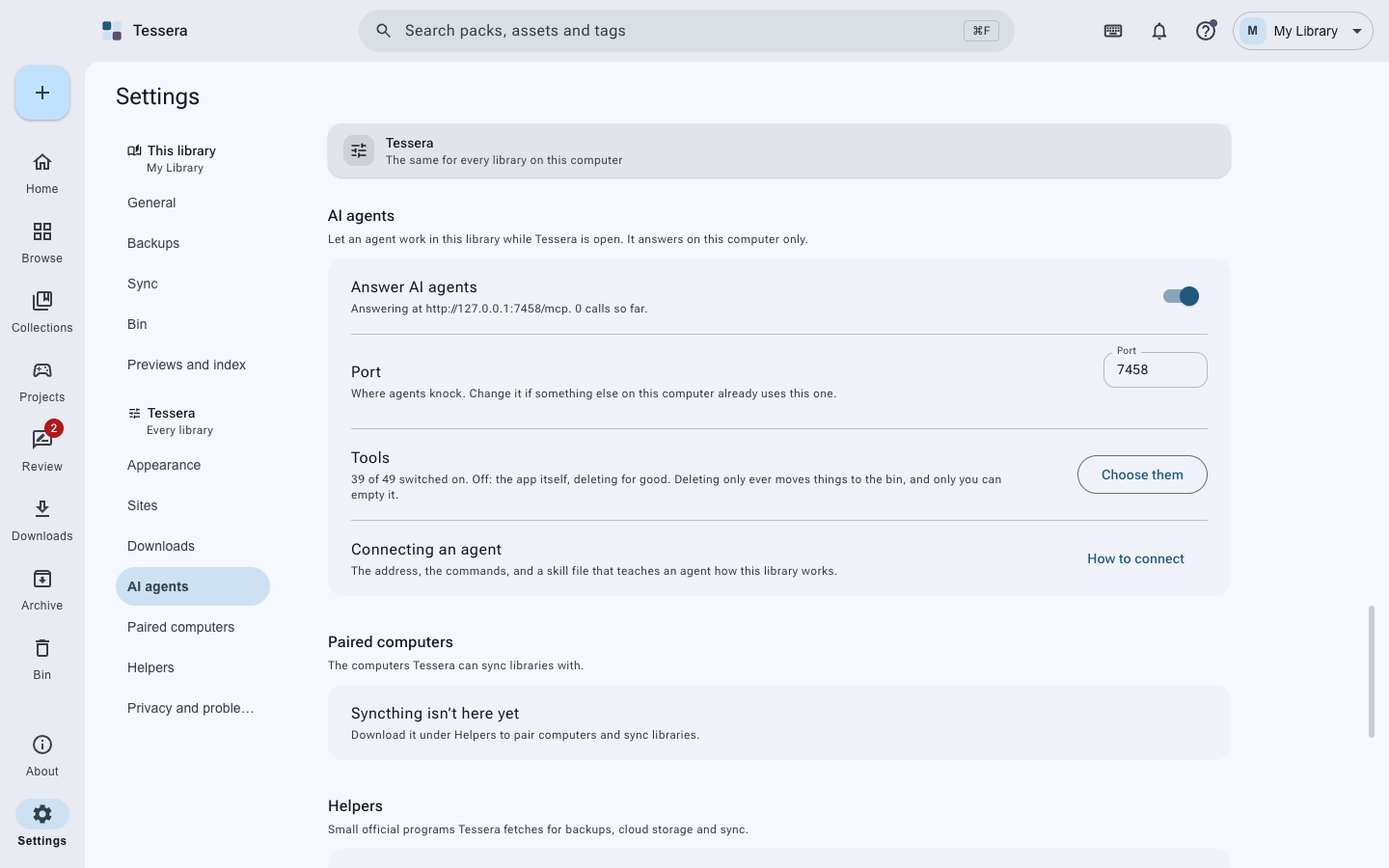
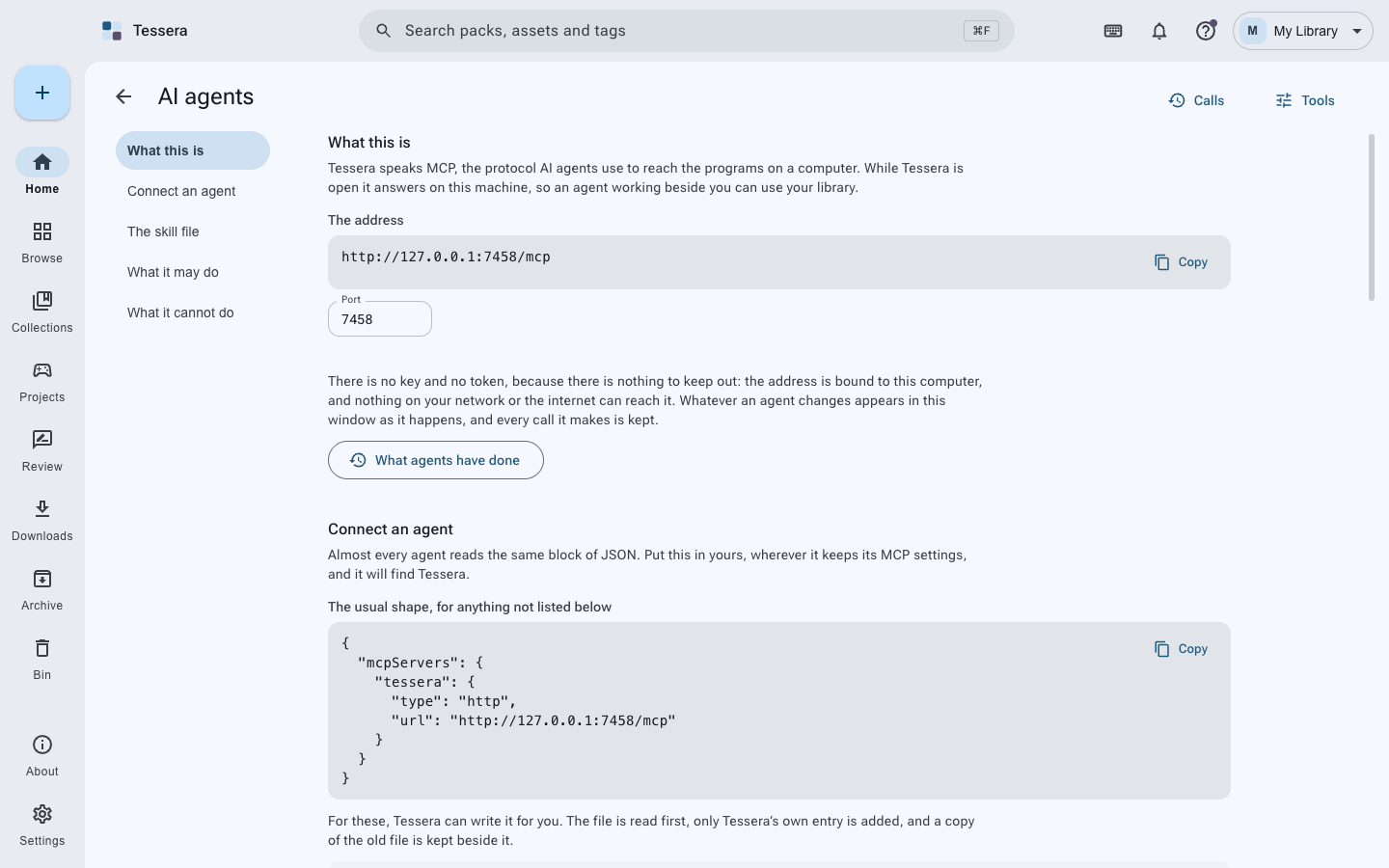
- AI agents - 65 tools over MCP, on this computer only, with what they may do in your hands
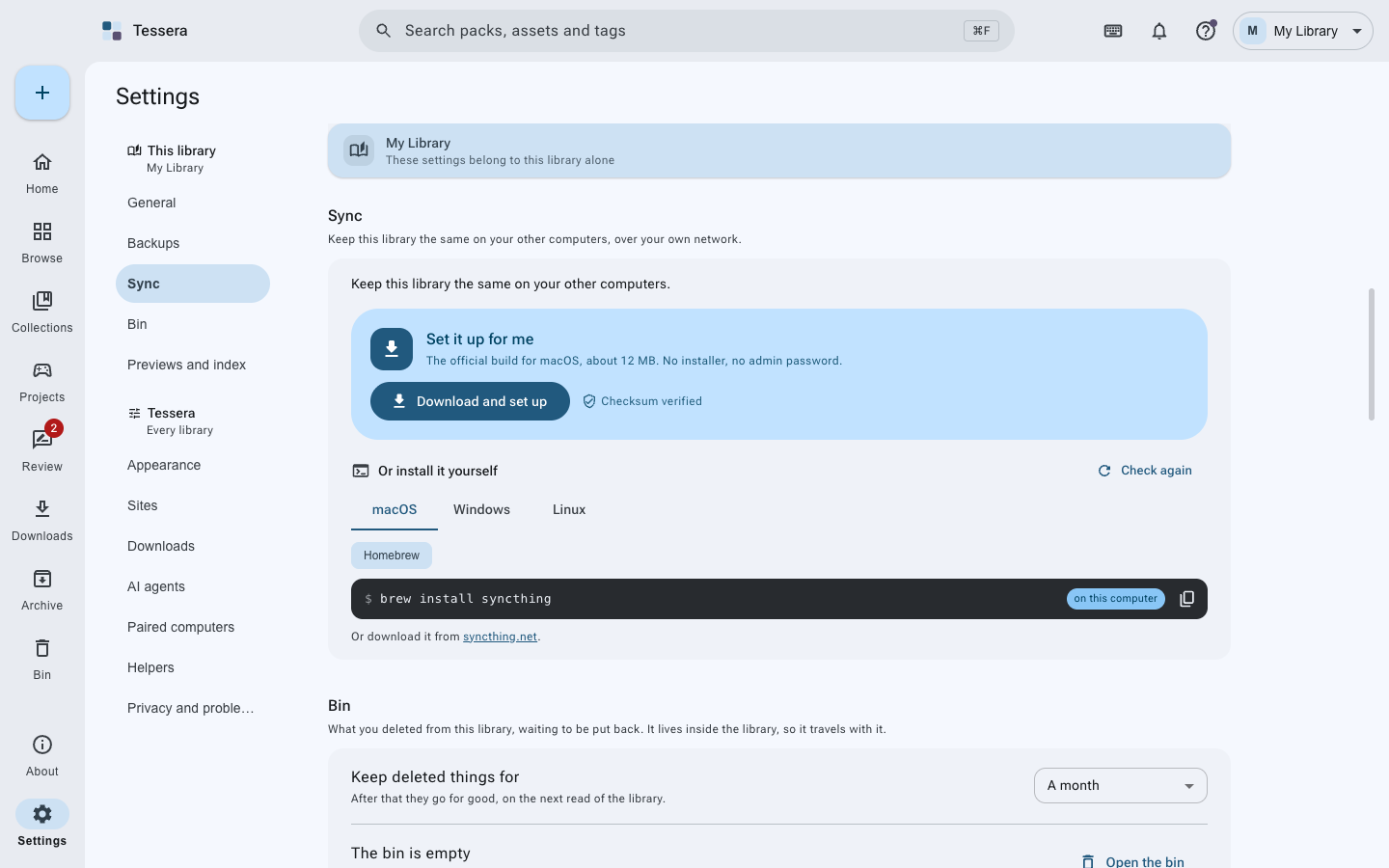
- Backups and sync - encrypted backups with Kopia, sync between your own computers with Syncthing, both optional
- Yours, offline - no accounts, no telemetry, no analytics. Your library is ordinary folders you can open at any time
Download
With a package manager
| Your computer | What to type |
|---|---|
| macOS, Homebrew | brew tap ahmmedrejowan/tessera && brew install --cask tessera |
| Windows, Chocolatey | choco install tessera |
| Windows, Scoop | scoop bucket add tessera https://github.com/ahmmedrejowan/scoop-tessera && scoop install tessera |
| Windows, winget | winget install Rejowan.Tessera |
| Arch, Manjaro | yay -S tessera-bin (not yet, see below) |
A PKGBUILD is written on every release, but nothing is published to the AUR yet. That command is given so you know what it will be, not because it works today.
Homebrew 7 asks before it loads anything from a tap that is not its own. If it does, run
brew trust --cask ahmmedrejowan/tessera/tessera and install again.
A package manager is worth preferring: each of them clears the download flag as it installs, so neither macOS nor Windows asks you to allow anything.
Or take the file
| Your computer | Download |
|---|---|
| macOS, Apple Silicon (M1 and newer) | Tessera-mac-arm64.dmg |
| macOS, Intel | Tessera-mac-x64.dmg |
| Windows 10 and 11 | Tessera-win-x64.exe |
| Windows on Arm | Tessera-win-arm64.exe |
| Linux, portable | Tessera-linux.AppImage |
| Debian and Ubuntu | tessera.deb |
| Fedora and openSUSE | tessera.rpm |
Every file, with its checksum and what changed, is on the releases page.
These builds are not notarised by Apple or signed with a Windows certificate, so each system asks once, the first time you open Tessera. Nothing is wrong with the download. Installing with Homebrew skips this on a Mac entirely.
macOS says it cannot verify the app is free from malware.
The quickest way, once Tessera is in Applications, is one line in Terminal:
xattr -dr com.apple.quarantine /Applications/Tessera.appThat removes the flag macOS puts on anything a browser downloaded, which is the whole reason for
the warning. It is the same thing Homebrew does for you. Running it says nothing and does nothing
if the flag has already gone. You are switching off a check, so do it for software you mean to
trust: the checksums on the releases page, and gh attestation verify, are there to make that
judgement an informed one.
Or click through it instead, which needs no Terminal:
- Double-click Tessera, then press Done on the warning.
- Apple menu, System Settings, Privacy & Security.
- Scroll to Security. There is a line saying Tessera was blocked.
- Press Open Anyway, and confirm with Touch ID or your password.
- Press Open on the last box.
From then on it opens like anything else. On macOS 14 and earlier you can instead right-click Tessera in Applications and choose Open, then Open again.
Windows says "Windows protected your PC". Choose More info, then Run anyway. The equivalent one-liner, before you run the installer, is PowerShell's
Unblock-File .\Tessera-win-x64.exewhich takes off the mark Windows puts on a downloaded file. SmartScreen usually reacts to that mark, so the prompt normally does not appear; a publisher it has never heard of can still be questioned, and More info then Run anyway always works.
Linux says nothing. chmod +x Tessera-*.AppImage, or sudo dpkg -i Tessera-*.deb, or
sudo rpm -i Tessera-*.rpm.
Every release lists the SHA256 of each file, so you can check a download is the one that was built. Each file also carries a signed record of the commit and the workflow that produced it:
gh attestation verify Tessera-*.dmg -R ahmmedrejowan/tesseraScreenshots
| Home | Every pack |
|---|---|
 |
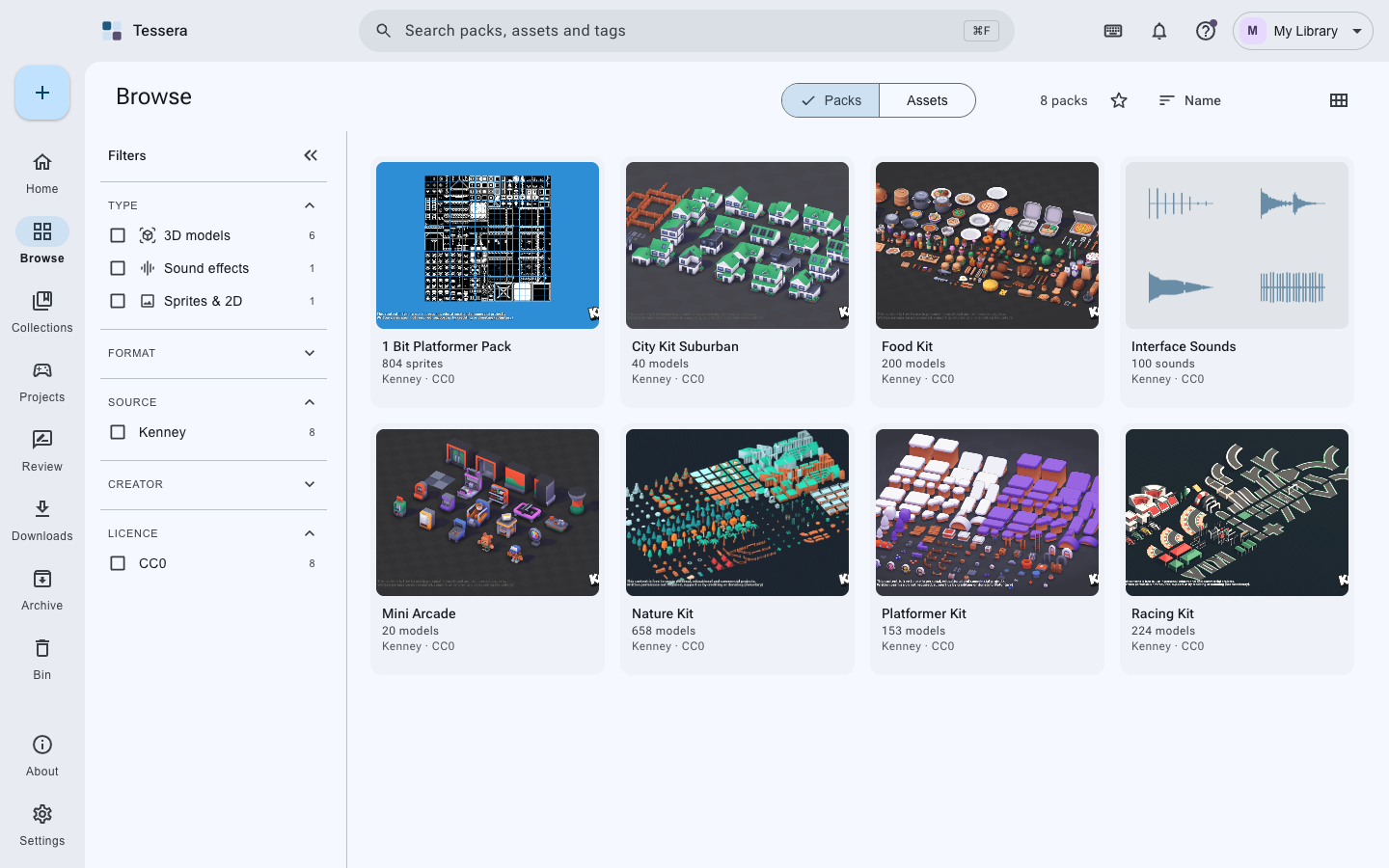 |
| Browsing the assets | A pack's own page |
|---|---|
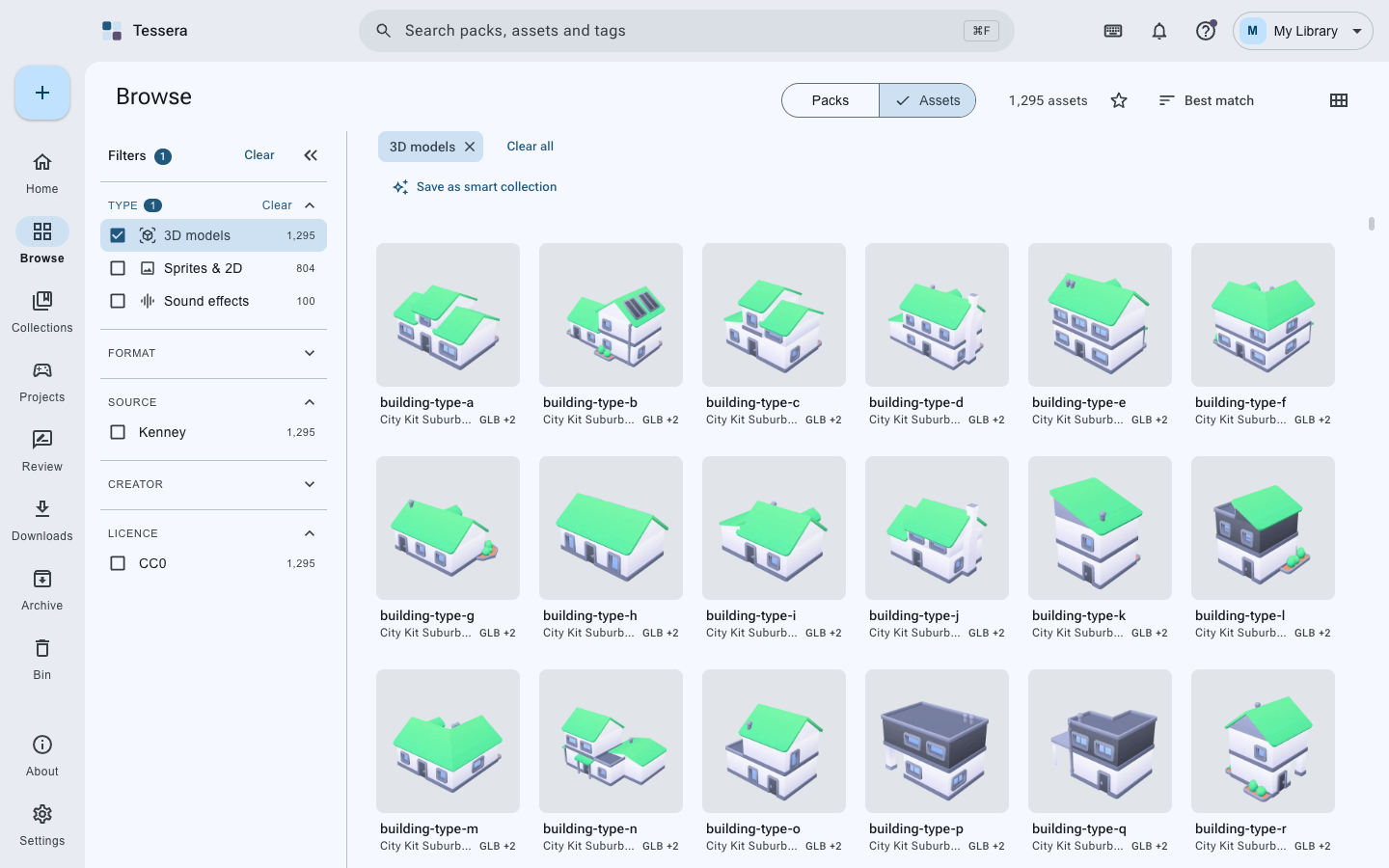 |
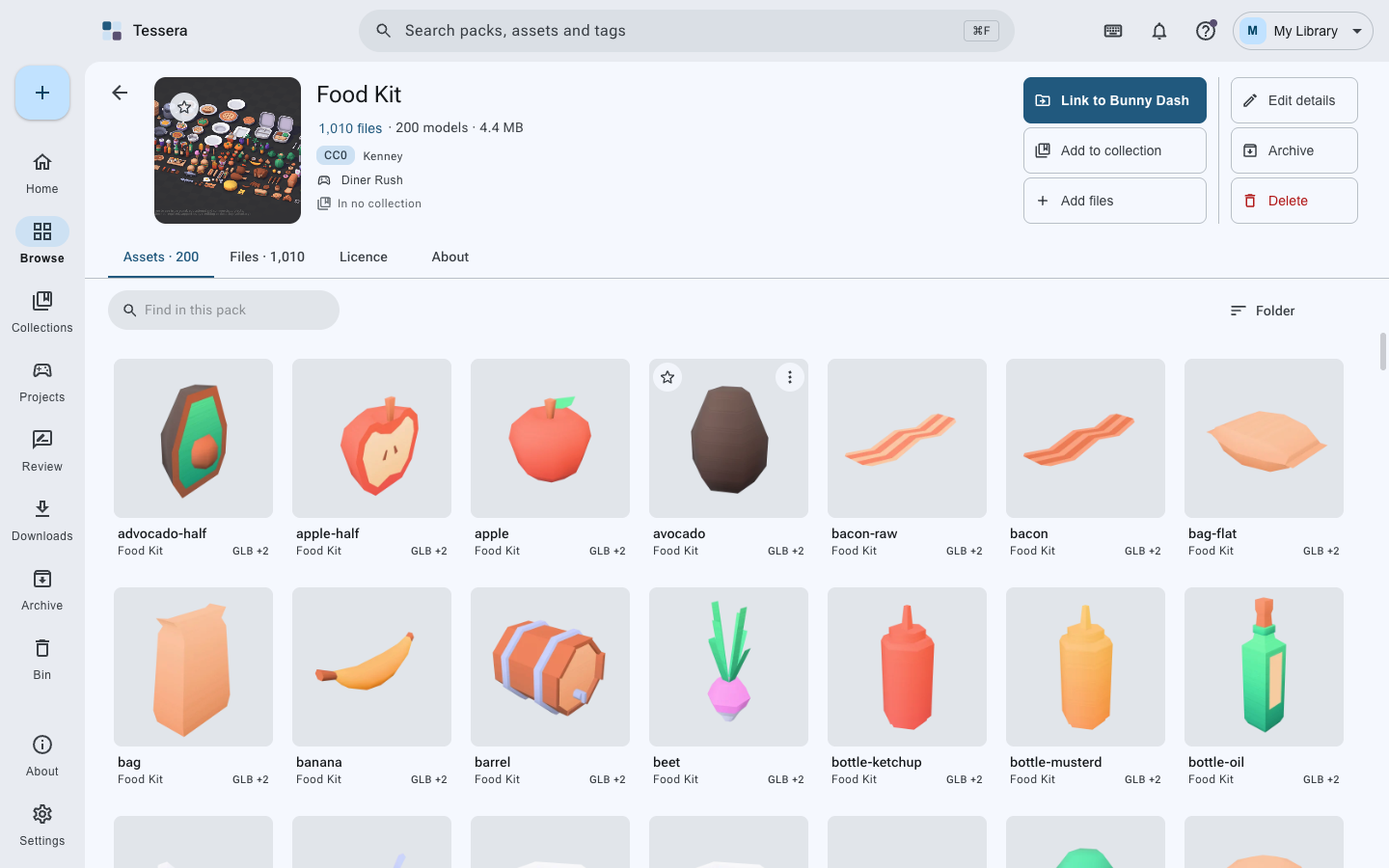 |
| What is inside a pack | The viewer |
|---|---|
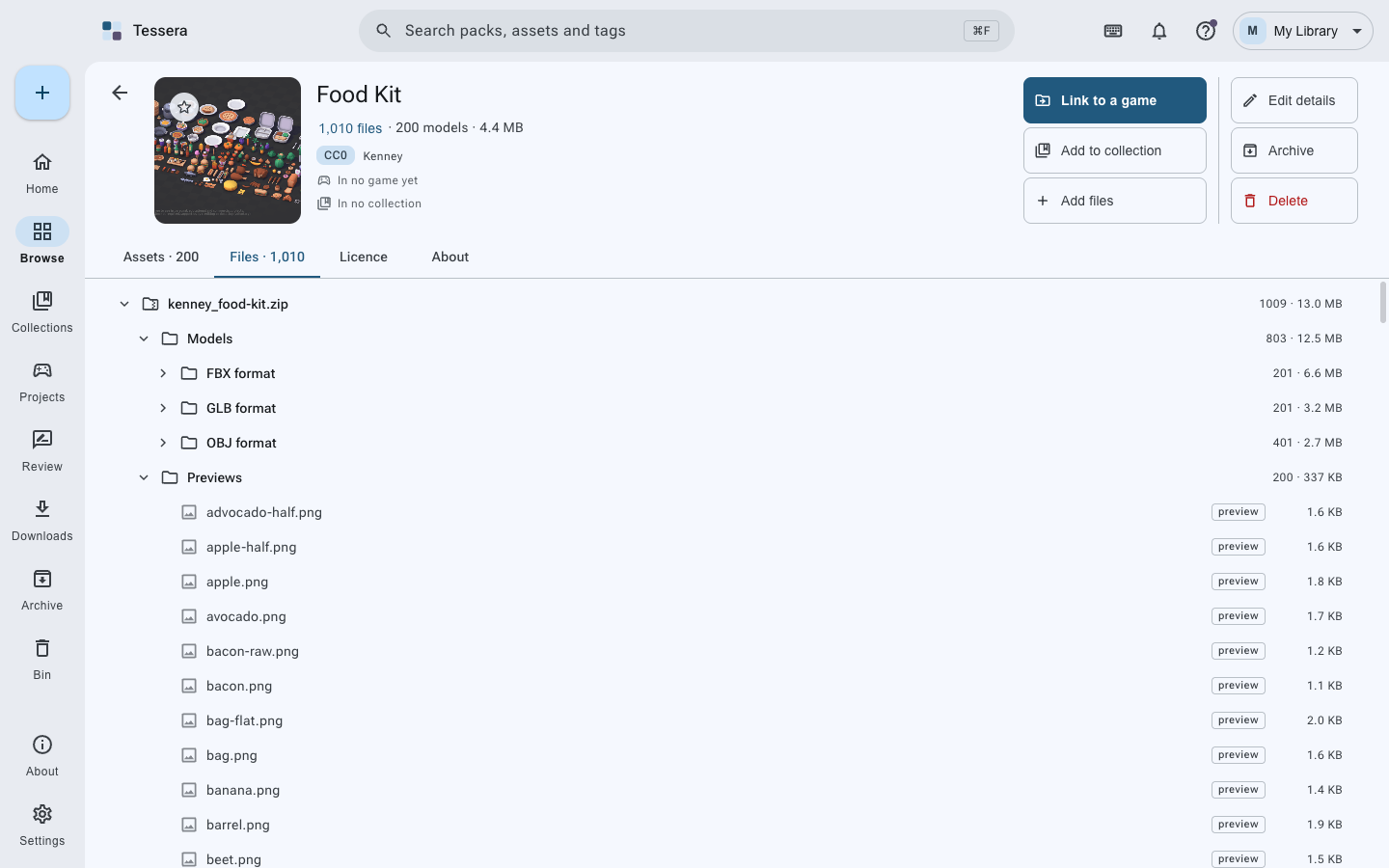 |
 |
| Games | One game |
|---|---|
 |
 |
| Collections | Review |
|---|---|
 |
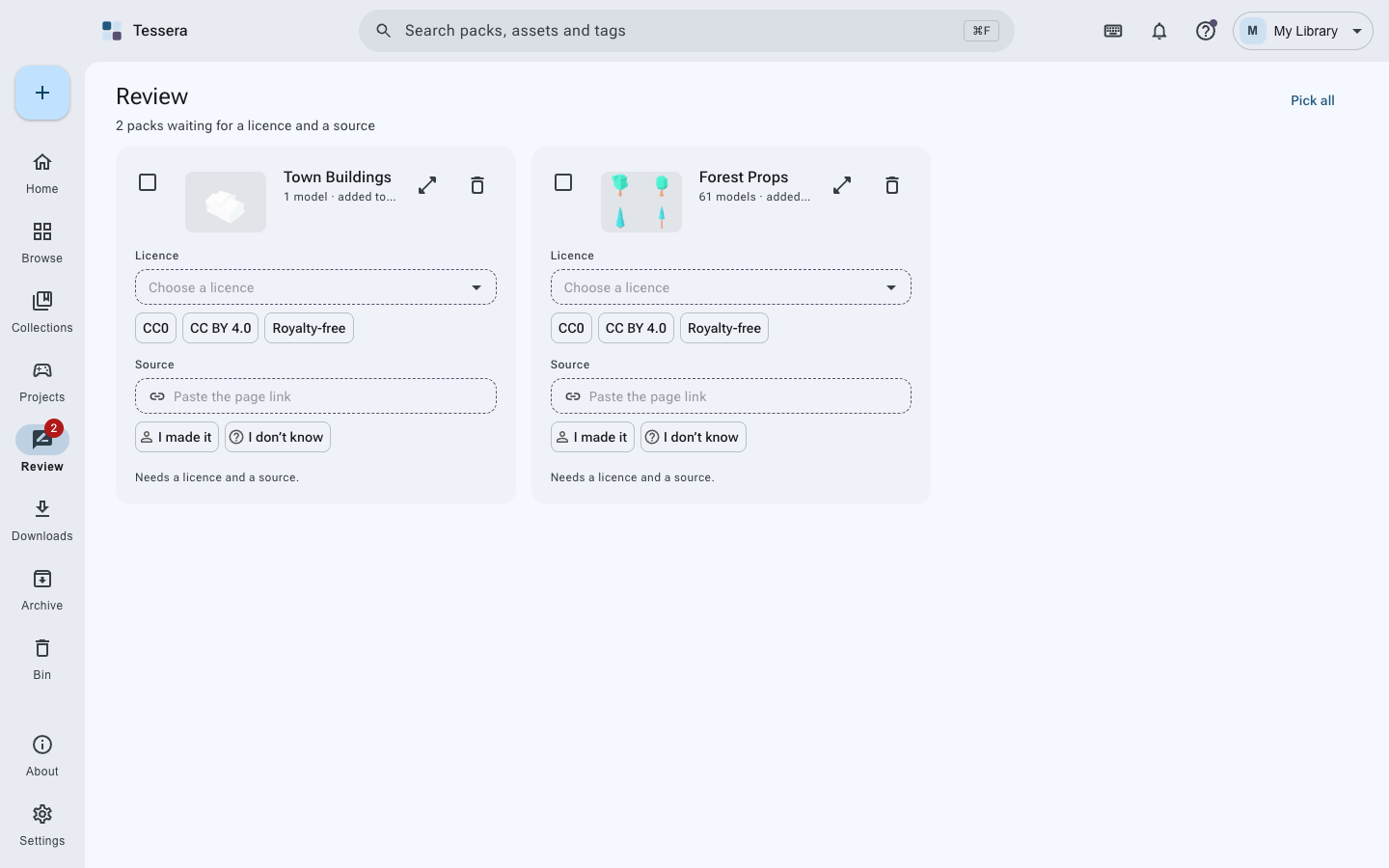 |
| Downloads | One library, or several |
|---|---|
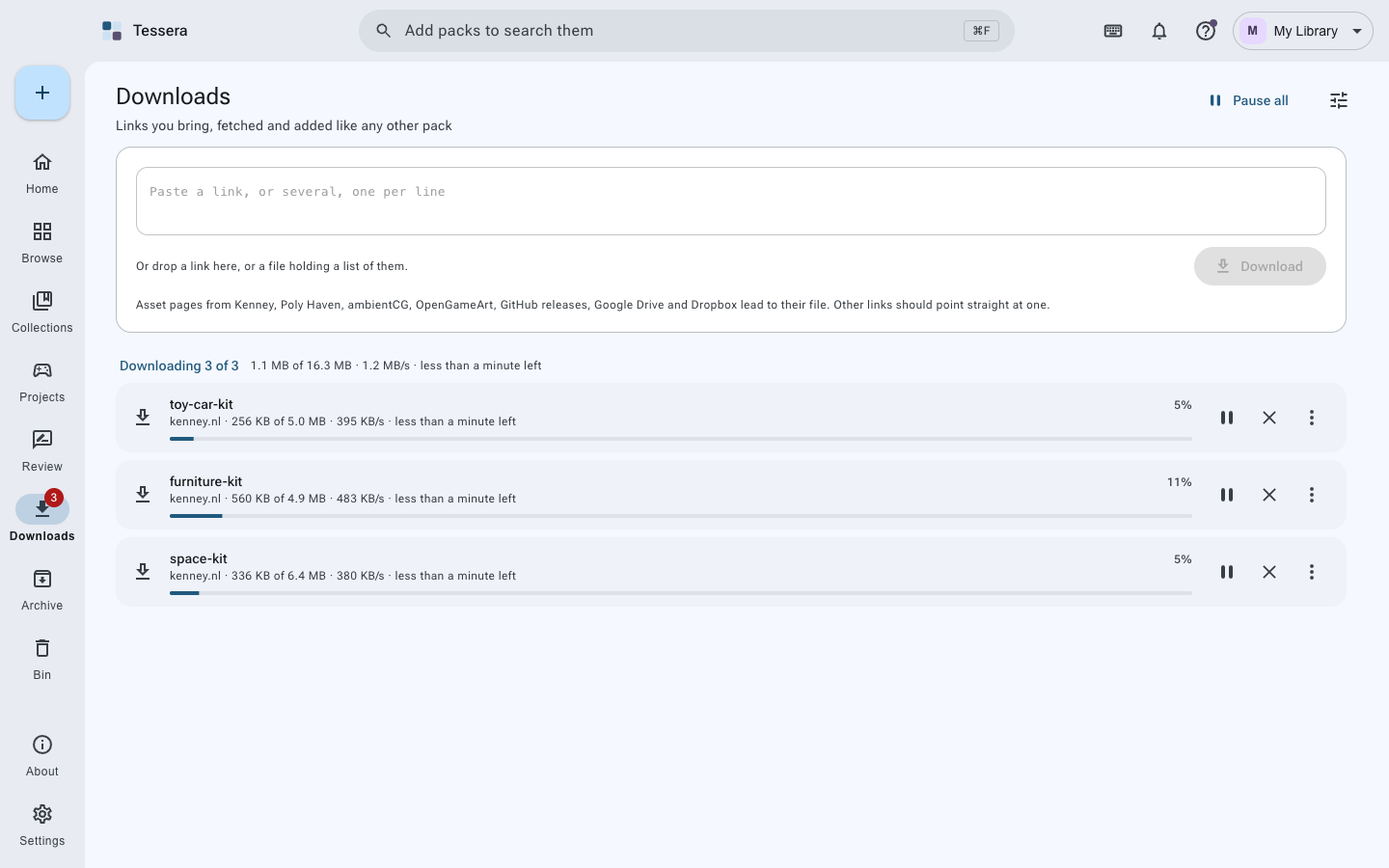 |
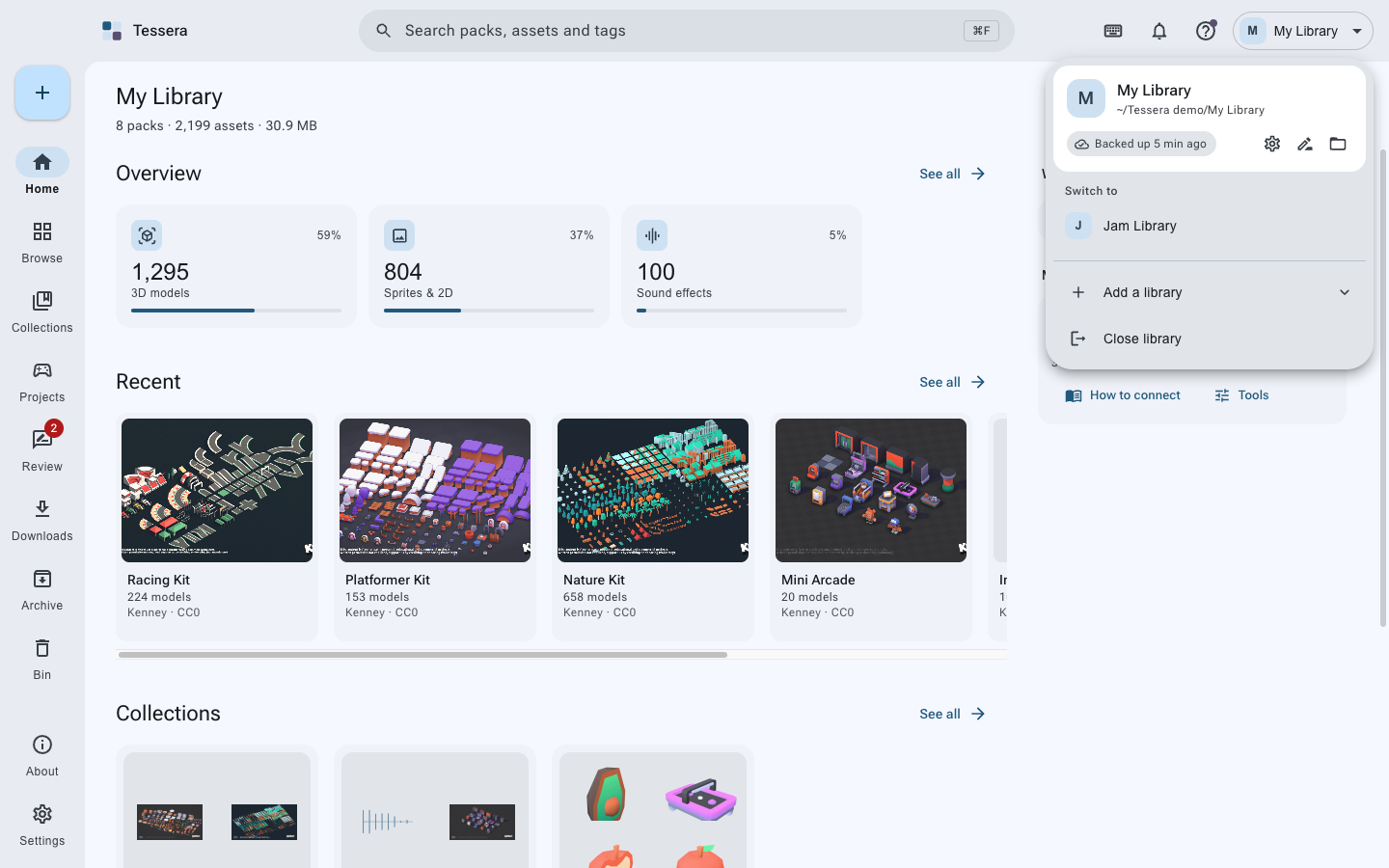 |
| Backups | Sync |
|---|---|
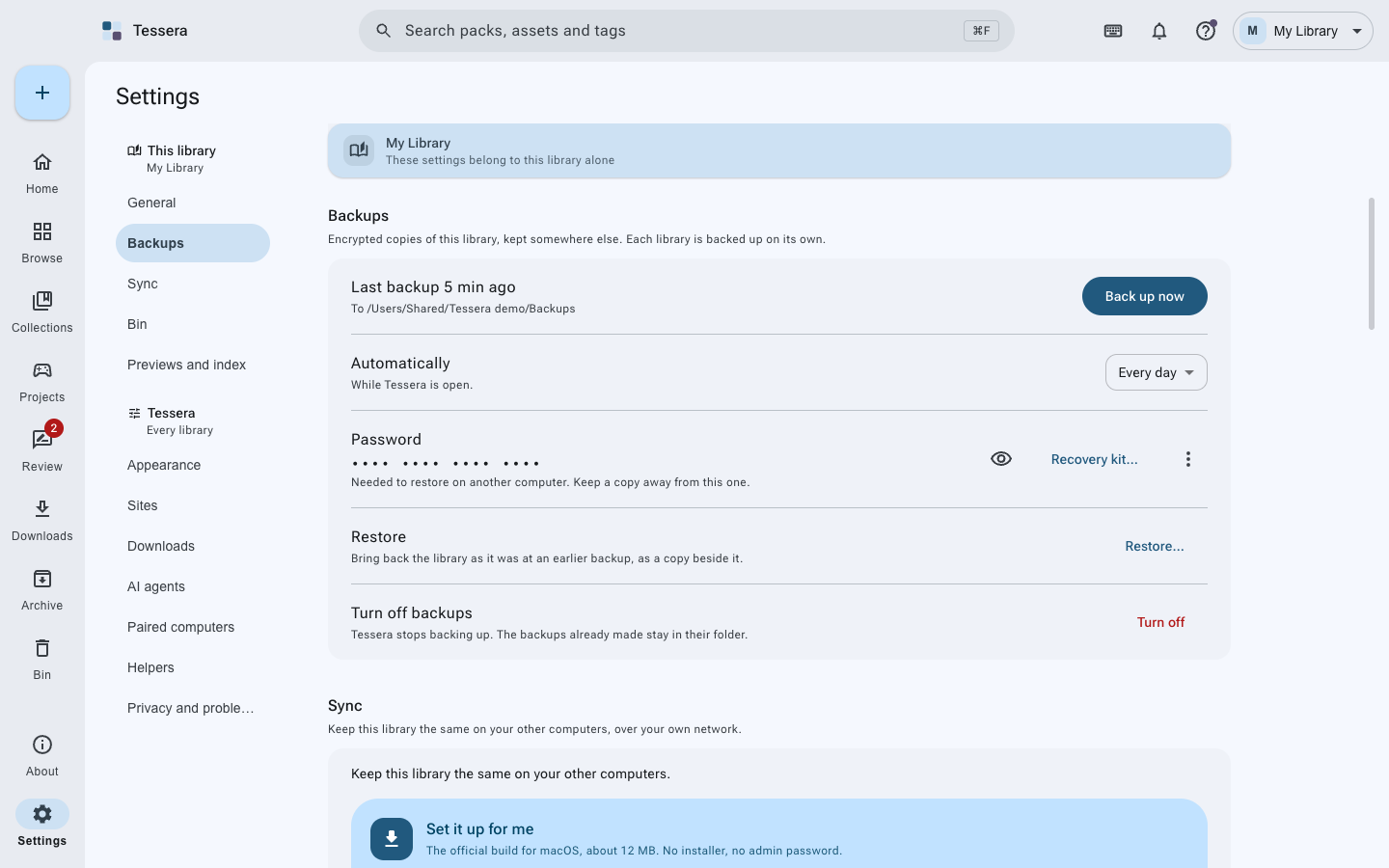 |
 |
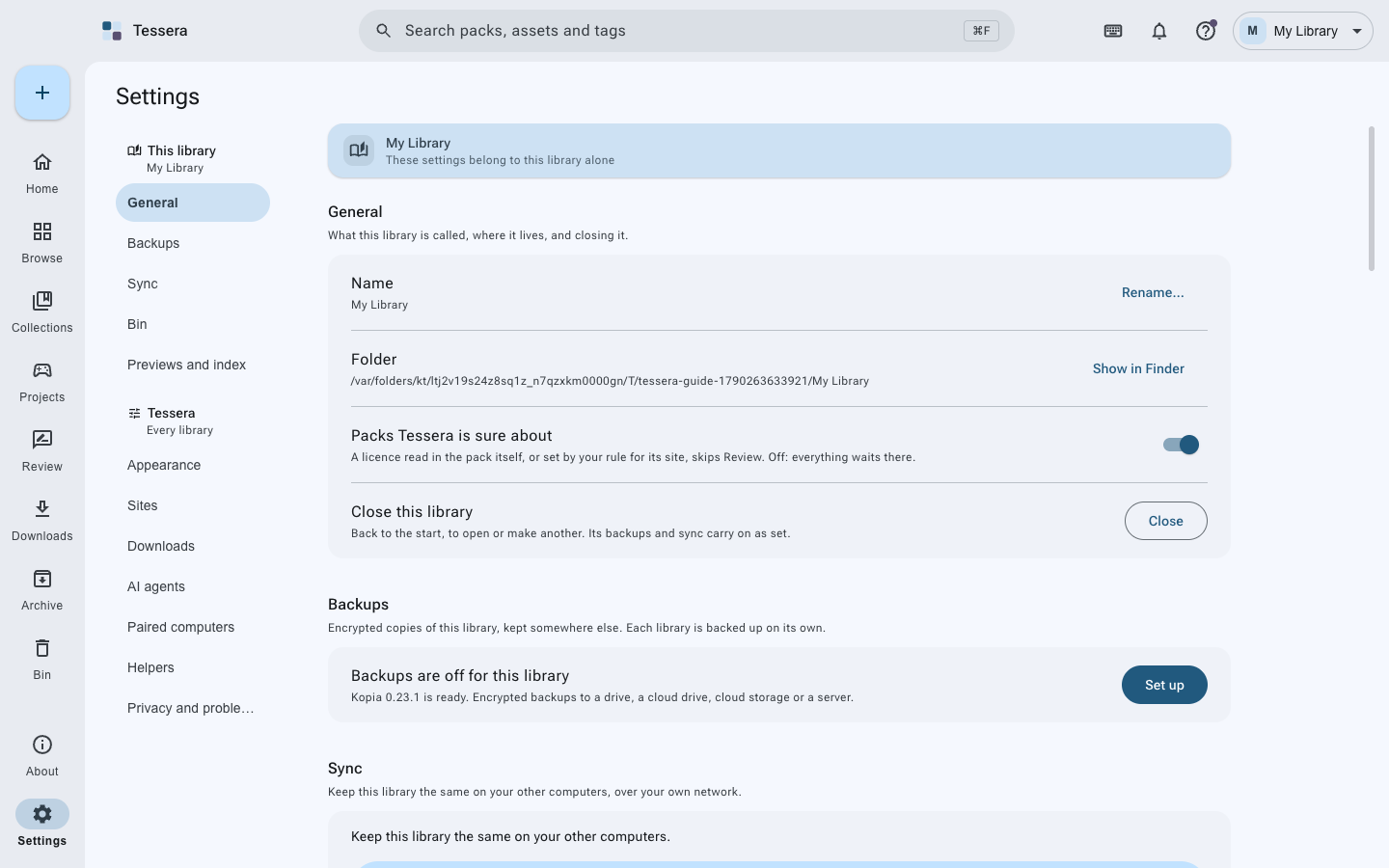
| Settings | AI agents |
|---|---|
 |
 |
| Connecting an agent | The first screen |
|---|---|
 |
|
Using it
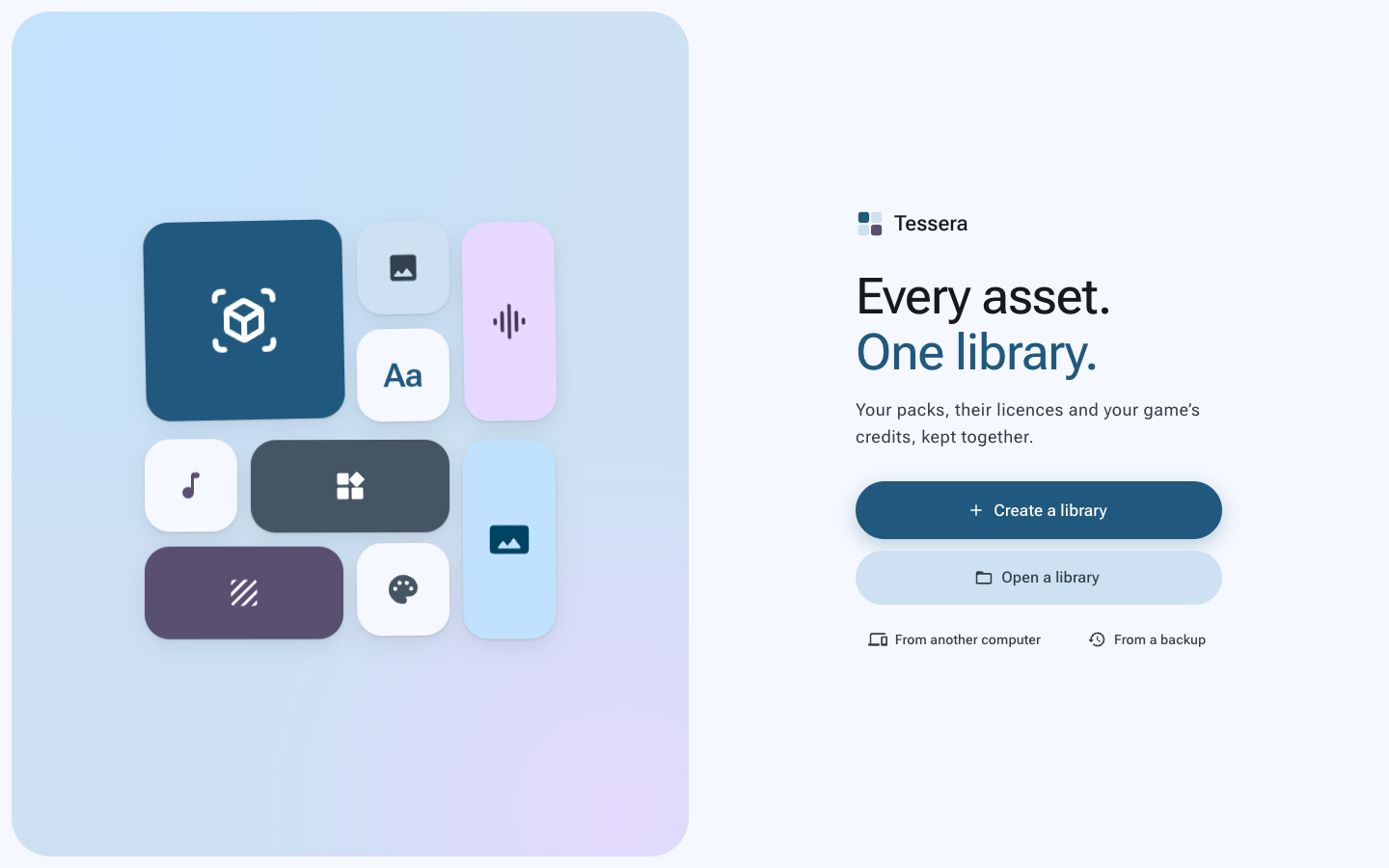
- Make a library. The first screen asks where it should live. It is an ordinary folder: your
packs go in
packs/, one folder each, exactly as they were downloaded. - Put something in it. Drag a zip or a folder onto the window, use the + button, or paste a link into Downloads. Tessera reads the pack, including inside archives, and fills in what it can.
- Answer the license question. A pack with no license or no source waits in Review until it has both. That is the whole point: it can never leave for a game unaccounted for.
- Find things. Search across packs, files and tags, or narrow by kind, format, creator, license, style. Double-click anything to see it properly.
- Gather. A collection holds packs and files for one game, and can refuse anything that does not fit its rules.
- Link it into a game. Tell Tessera where the game folder is; it copies the assets in, in the format that engine prefers, with a license file beside them and CREDITS.md kept up to date.
Then, when you want it: the guide with pictures, the questions people ask, and the wiki. The same words are in the app, under Help.
Architecture
Three parts, and a contract between them:
src/
├── main/                      # Everything that touches the disk, the network or another program
│   ├── ipc/                   # One file per area; every channel of the contract is answered here
│   ├── index/                 # The SQLite index: files, classifying, queries, facets
│   ├── library/               # The library on disk: packs, layout, collections, the bin
│   ├── import/                # Planning and running an import
│   ├── downloads/             # The download queue and the sites it knows
│   ├── projects/              # Games: engines, copying in, credits, dependencies
│   ├── backup/                # Kopia, rclone, storage targets, the recovery kit
│   ├── sync/                  # Syncthing
│   ├── mcp/                   # The agent door: the server, its tools, the skill file
│   ├── thumbs/                # Previews, drawn in a hidden window
│   └── index.ts               # The composition root: builds the services, starts the app
│
├── preload/                   # The only bridge: window.tessera
│
├── renderer/                  # The window. It never touches a file itself
│   └── src/
│       ├── pages/             # One folder per place in the app
│       ├── components/        # The shared pieces every page is built from
│       ├── viewer/            # The full-screen file viewer
│       ├── state/             # Zustand stores and TanStack Query hooks
│       └── theme/             # Material 3 tokens, light and dark, from one seed color
│
└── shared/                    # What both sides agree on
    ├── ipc.ts                 # The contract: every channel, typed
    ├── pack.ts                # What a pack is, and what its license says
    ├── assets.ts              # Kinds, types, classifying
    └── licenses.ts            # The licenses Tessera knows
How it fits together. The window asks; the main process answers. Nothing in the renderer opens
a file, spawns a program or reaches the network: it calls a channel, and one handler in
src/main/ipc answers it. index.ts builds the services once and hands each group of handlers the
part of the app it needs, so a handler cannot reach for anything it was not given. A test reads the
contract and the handlers and fails if a channel is missing, answered twice, or answered without
being declared.
The library is the truth. The index holds nothing that is not in the library folder, so it can be thrown away and built again at any time, and is, if it ever will not open.
Tech stack
- Shell: Electron 44 with electron-vite, three processes (main, preload, renderer)
- Language: TypeScript, strict, with the IPC contract typed end to end
- UI: React 19, MUI 9, Material 3 tokens generated from one seed color
- State: Zustand for what the window remembers, TanStack Query for what it asks for
- Index:
node:sqlitewith FTS5, one index per library - 3D: three.js, with a hidden window for thumbnails
- Validation: Zod 4, for settings, pack files and every agent tool
- Agents: Model Context Protocol over local HTTP
- Tests: Vitest, and Playwright driving the built app
Requirements
- Node: 24 or newer, to build
- Systems: macOS 11+, Windows 10+, Linux with glibc 2.28 or newer
- Nothing else. Kopia, rclone and Syncthing are fetched only if you turn on backups or sync.
Build and run
git clone https://github.com/ahmmedrejowan/tessera.git
cd tessera
npm install
npm run dev          # the app, with the window reloading as you save
npm run dist         # installers for this computer, in release/
Node 24 or newer, and git. Kopia, rclone and Syncthing are not needed to build: the app only fetches them if you turn on backups or sync.
npm run dist builds for the system it runs on, and only that one. What it needs and what it
leaves in release/:
| On | Also needs | You get |
|---|---|---|
| macOS | Xcode command line tools (xcode-select --install) |
.dmg and .zip, Apple Silicon and Intel, signed ad hoc |
| Windows | nothing further, there is no native code to compile | an installer and a portable .zip, x64 and Arm |
| Linux | rpm as well, if you want the .rpm on a Debian-like system |
.AppImage, .deb and .rpm |
npm run package is the quicker one: an unpacked app in release/, no installers.
A build from a clean clone is the same build the release workflow publishes, which is the point of
the checksums and the gh attestation verify line above: you can check that for yourself rather
than take it on trust.
Testing
npm test                 # the unit suite
npm test -- --coverage   # with a coverage report in coverage/
npm run test:e2e         # end to end, against the built app
npm run typecheck        # both TypeScript projects
Around 740 checks across the two suites, covering 90% of the statements and 80% of the branches in the main process. They work against real folders, a real index, a real Kopia and a real HTTP server rather than mocks, and docs/testing.md explains how, what is deliberately not covered, and how to add one.
Every pull request runs the typecheck, the whole suite, a packaged build and the end-to-end suite on
macOS, Windows and Linux, installs Kopia and rclone on each so the backup tests run there too, and
holds coverage to a floor so a change that quietly stops testing something fails the build. Nothing
reaches main without all four passing. What runs after a merge is smaller, and only confirms that
main is still good with the change in it.
What's next
No dates, and none of this is a promise. It is what I think is worth doing after 1.0.0, in no particular order:
- More than one place for backups. Today a library has one. A local drive and a cloud at the same time is the shape people actually want.
- Watching files on Linux. macOS and Windows notice changes made outside Tessera; Linux does not, so the library is read again when you ask rather than when it changes.
- Very large imports. Review draws every waiting pack, which is fine for twenty and stutters at two hundred.
- Sites and engines. More places a download can be recognized from, and more project layouts than Unity, Godot and Unreal.
The real list is the issues: everything anyone has asked for is under
the idea label, and
Discussions is where the arguing happens.
Add yours; what gets built is mostly what people ask for twice.
Contributing
Contributions are welcome. CONTRIBUTING.md explains how the code is laid out and what a change should look like; open an issue first if it is more than a small fix.
- Fork the repository
- Branch off
dev(git checkout dev && git checkout -b better-thing) npm run typecheck && npm test- Commit, push, and open a pull request against
dev
main is what has been released; dev is where the next version is put together. Nobody pushes to
either, and all four checks have to pass before anything goes in.
License
Copyright (C) 2026 K M Rejowan Ahmmed

This program is free software: you can redistribute it and/or modify
it under the terms of the GNU General Public License as published by
the Free Software Foundation, either version 3 of the License, or
(at your option) any later version.

This program is distributed in the hope that it will be useful,
but WITHOUT ANY WARRANTY; without even the implied warranty of
MERCHANTABILITY or FITNESS FOR A PARTICULAR PURPOSE. See the
GNU General Public License for more details.
Note This is a copyleft license. Anything built on it stays free in the same way.
The separate programs Tessera can fetch (Kopia, rclone, Syncthing) keep their own licenses, and so do the assets you keep in your library.
Community
- Discussions - ask anything, share what you have built
- Issues - something wrong, or an idea
- Releases - every version, with its notes
- Security - please email rather than opening an issue
- Privacy - what stays here, and what leaves only when you ask

- TypeScript
- asset-management
- desktop-app
- digital-asset-management
- electron
- game-assets
- game-development
- godot
- mcp
Changelog
v1.0.1
latest- It is visible work now, with a count and progress, next to everything else.
- Three quarters of a library sits inside zips, and a zip already records a checksum for each file it holds. That is…
- It gives way between files, so the window stays answerable while it runs.
- and 4 more
Full notes for v1.0.1
v1.0.1 on GitHub ↗What's new
A fix release, written while moving a library of 564 packs and 141,609 files into 1.0.0. Nothing here is new; all of it is 1.0.0 failing at a size the first release had never been given.
Browsing is no longer a freeze
Choosing a license or a kind while browsing packs locked the window, for seconds or longer. A pack records its own license, but the filter reached into every asset in the library to answer a question already written on the pack: a tenth of a second's work done as a seven second scan, and once for every heading in the filter list. It reads the pack now. Filtering by source or creator was never affected, which is what made it so hard to see.
Scrolling is smooth
A grid of tens of thousands of things told the rest of the app about every row the scroll crossed, and the app redrew every tile each time. It now notices a new page rather than a new row.
Reading what your files contain
Tessera works out the contents of every file so it can tell you what you already have. On a large library this took around an hour, and for all of it the window was slow and said nothing about why.
- It is visible work now, with a count and progress, next to everything else.
- Three quarters of a library sits inside zips, and a zip already records a checksum for each file it holds. That is taken rather than worked out again, so most files are never read at all, and full checksums are kept for the few that need telling apart.
- It gives way between files, so the window stays answerable while it runs.
Updating keeps what it already worked out
This is the important one. Opening a 1.0.0 library in a newer version threw away every checksum it had and spent the hour again, quietly, because the part that must survive an update was being recreated instead of carried forward. It is carried forward now.
Smaller things
brew install --caskreally does clear the download flag now. The notes claimed it already did; it did not, and Gatekeeper stopped the first launch exactly as for a hand-downloaded dmg.- A pack whose files could not be drawn kept being asked for, for ever, instead of being noted and left alone, which held a core at nothing.
- A license recorded for part of a pack can be taken away again.
- Agent tools say the things that are only obvious once you have got them wrong, chiefly that adding several packs answers in name order rather than the order you asked.
Installing
With a package manager:
System What to type macOS brew tap ahmmedrejowan/tessera && brew install --cask tesseraWindows winget install Rejowan.TesseraWindows, Scoop scoop bucket add tessera https://github.com/ahmmedrejowan/scoop-tessera && scoop install tesseraWindows, Chocolatey choco install tesseraArch Linux yay -S tessera-binHomebrew is worth preferring on a Mac: it clears the download flag as it installs, so none of the below applies.
Or take a file from the list above.
These builds are not notarised by Apple or signed with a Windows certificate, so each system asks once, the first time you open Tessera.
macOS says it cannot verify the app is free from malware. Press Done, then open System Settings, Privacy & Security, scroll to Security, and press Open Anyway beside Tessera. Confirm with Touch ID or your password, then press Open. On macOS 14 and earlier, right-click Tessera and choose Open instead.
Windows says "Windows protected your PC". Choose More info, then Run anyway.
Linux says nothing.
chmod +x Tessera-*.AppImage,sudo dpkg -i Tessera-*.deb, orsudo rpm -i Tessera-*.rpm.Take the file that matches your computer:
arm64for Apple Silicon,x64for Intel. The SHA256SUMS files beside them are the checksums of everything built here, and each file carries a signed record of the commit and workflow that produced it:bashgh attestation verify <file> -R ahmmedrejowan/tesserav1.0.0
- A copy into a game compares contents with SHA-256 before it writes, and a name already taken is a question rather than…
- Taking a pack into the library brings its records with it: stars, collections, part-license rules and every game that…
- A game's page has the same head as a pack's, with tabs for what it has taken, its credits file shown as both markdown…
- and 8 more
Full notes for v1.0.0
v1.0.0 on GitHub ↗What's new
Tessera keeps every game asset you have collected in one place, with its license and its source on record, and puts it into your game with the credits written for you.
This is the first version I am willing to call finished. Two previews came before it; what changed between them and this is at the bottom. Everything here has been used, not only tested: the backups were made and restored onto a computer that had never seen the library, and every file came back byte for byte.
Your library
A library is an ordinary folder of ordinary files. No database you cannot open, no format only Tessera can read: your packs are in there exactly as they arrived, and if Tessera vanished tomorrow you would still have everything. Keep as many libraries as you like, on internal drives, external ones or a network share, and switch between them from the top right. Each carries its own settings, backups and sync.
Packs too big or too many to copy can be read where they lie instead, indexed in place with nothing written to their folder, and taken into the library later if you change your mind.
Getting things in
Drag packs onto the window, choose files or a folder, or paste a link and let Tessera fetch it. Asset pages from Kenney, Poly Haven, ambientCG, OpenGameArt, GitHub releases, Google Drive and Dropbox are followed to the file behind them. Downloads pause, resume and retry, a few at a time.
Your download is copied in as it arrived, archives included, and read inside for what it holds: models, textures, sprites, UI, audio, music, fonts and HDRIs. Nothing is unpacked, renamed or re-encoded. Add more files to a pack you already have, with a place inside it and terms of their own if they came from somewhere else.
The license, and the proof
This is the part the rest is built around. Tessera reads the license and the source from the pack's own files where it can, and keeps a page snapshot and an archive.org copy as proof of what the terms were on the day you got it. A pack whose terms are unclear waits in Review rather than joining the library on a guess, and parts of a bundle can carry terms of their own.
Tell Tessera that a site's packs are CC0 and the next one from that site fills itself in.
Finding it again
Search across packs, assets and tags, with filters for type, format, source, creator, license, genre, style and tags, and sorting that makes sense for each. Collections gather things by hand, or by a rule that keeps itself up to date. Star what you keep coming back to; archive what you want kept but out of the way.
Tested at 400 packs and 120,000 files: the first page of assets in 37 ms, a search in 62 ms.
Looking at it
3D models, images, HDRIs, sprites, sounds and fonts, previewed in the window without unpacking anything, including files inside archives. Contents are read once and remembered, in the background and out of your way.
Into your game
Link a Unity, Godot or Unreal project, or any folder. Assets arrive in the format that engine reads best, with the textures and materials they depend on, a license file for each pack beside them, and a
CREDITS.mdkept up to date as you add and remove things.A game you have been making for years is handled too: Find assets already here matches what is in your project against your library by content rather than by name, and records them where they are, so your credits cover what you actually ship without a second copy of anything.
Nothing is ever written over without asking. Where your game already has a file under a name a copy wants, the two are compared byte for byte and only a genuinely different file stops to ask: keep yours, write over it, or keep both.
Keeping it safe
Encrypted backups through Kopia, to a drive, a cloud drive, cloud storage or your own server, with a recovery kit that holds everything needed to restore on a computer that has never seen the library. Pause them for a while without letting go of anything, or disconnect and keep the backups you have. Sync a library between your own computers with Syncthing, with nothing in the middle.
Deleting means the library's own bin, which puts things back where they were.
AI agents
While Tessera is open it answers agents on this computer alone, with 65 tools covering everything the window can do. You choose what they may reach, and the app's own settings and deleting for good start switched off. Every call is listed and every change is in Activity, so you can see what was done in your name.
Where it runs
macOS on Apple Silicon and Intel, Windows 10 and 11, and Linux as an AppImage, a .deb or an .rpm. Install with Homebrew, winget, Scoop, Chocolatey or the AUR, or download it directly.
What changed since the previews
- A copy into a game compares contents with SHA-256 before it writes, and a name already taken is a question rather than a silent skip.
- Taking a pack into the library brings its records with it: stars, collections, part-license rules and every game that had taken from it.
- A game's page has the same head as a pack's, with tabs for what it has taken, its credits file shown as both markdown and the result, and its settings.
- One queue for everything that writes to the library, so two operations can no longer land in each other's folders.
- Backups can be paused without being disconnected, and both say what they will do before they do it and what happened afterwards.
- Choosing a cloud folder for backups says what that means, and suggests a folder that can actually be written to.
- The shape of the page arrives while it loads, rather than a spinner that says nothing.
Said plainly
- The builds are not signed. macOS says it cannot verify the app; the way past it is System Settings, Privacy & Security, Open Anyway. Windows shows a SmartScreen warning.
- Linux is built and tested on every change, and the app is driven end to end there by the test suite, but no person has yet sat down and used it. Changes made outside Tessera are not noticed on Linux while it is open.
- A library has one backup place. Setting up a second replaces the first.
- Backing up into a folder your cloud app syncs means Tessera is finished when the files are written; your cloud app uploads them afterwards, on its own schedule. Signing in to the provider instead uploads from Tessera and can tell you when it is done.
Installing
With a package manager:
System What to type macOS brew tap ahmmedrejowan/tessera && brew install --cask tesseraWindows winget install Rejowan.TesseraWindows, Scoop scoop bucket add tessera https://github.com/ahmmedrejowan/scoop-tessera && scoop install tesseraWindows, Chocolatey choco install tesseraArch Linux yay -S tessera-binHomebrew is worth preferring on a Mac: it clears the download flag as it installs, so none of the below applies.
Or take a file from the list above.
These builds are not notarised by Apple or signed with a Windows certificate, so each system asks once, the first time you open Tessera.
macOS says it cannot verify the app is free from malware. Press Done, then open System Settings, Privacy & Security, scroll to Security, and press Open Anyway beside Tessera. Confirm with Touch ID or your password, then press Open. On macOS 14 and earlier, right-click Tessera and choose Open instead.
Windows says "Windows protected your PC". Choose More info, then Run anyway.
Linux says nothing.
chmod +x Tessera-*.AppImage,sudo dpkg -i Tessera-*.deb, orsudo rpm -i Tessera-*.rpm.Take the file that matches your computer:
arm64for Apple Silicon,x64for Intel. The SHA256SUMS files beside them are the checksums of everything built here, and each file carries a signed record of the commit and workflow that produced it:bashgh attestation verify <file> -R ahmmedrejowan/tessera